Is a Time-Lapse Camera Enough to Track Construction Progress? (Not Once the Walls Go On)
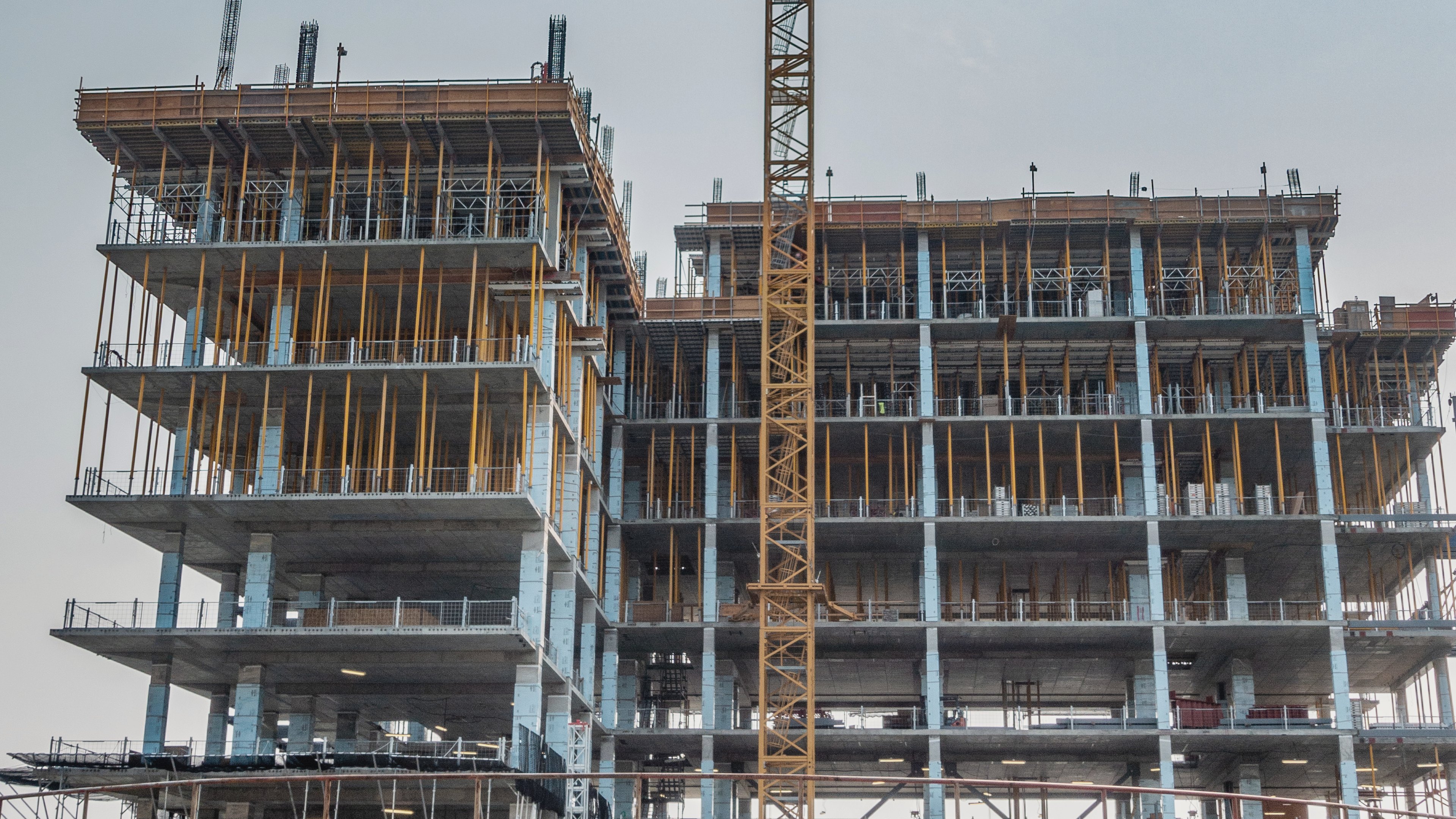

You've watched the sample films while comparing camera quotes, with the frame climbing floor by floor while the crane swings overhead, and it's easy to assume that film will answer your progress questions until handover. The catch is that it never stops looking like progress. Once the last outside panel goes on, the camera keeps filming a building that seems more finished each week, while the work you're paying for has moved indoors, to the ducts above the level 6 ceilings and the partitions on level 8. When next month's payment claim lists work on six floors, the only footage you own shows the outside.
Most people buy the camera believing that if they can see the site, they can see the progress, and that's only true while the work is outside. A time-lapse camera is enough while your questions are about the outside of the building and when big events happened. Once the outside walls are on, the work you pay for moves indoors, so add a 360° walk of each floor on the plan, and a point cloud from a drone or scanner when the answer must be a measurement. Each boarded ceiling hides its services for good, so plan the rest of your record while you're still choosing the camera.
What a fixed camera does well
Because a time-lapse camera never moves, it's very good at the outside of the job. You can scroll to any day and see how busy the crane was and when the frame reached the top, which settles a lot of arguments about dates. It also makes the one thing people outside the project will happily watch. Sangamon County in Illinois posts a time-lapse video on its website from a camera that photographs the construction site every 15 minutes, so residents can follow the project from the beginning (Sangamon County). For off-plan buyers or a board meeting, that film does a job no walk can do.
What it can't see
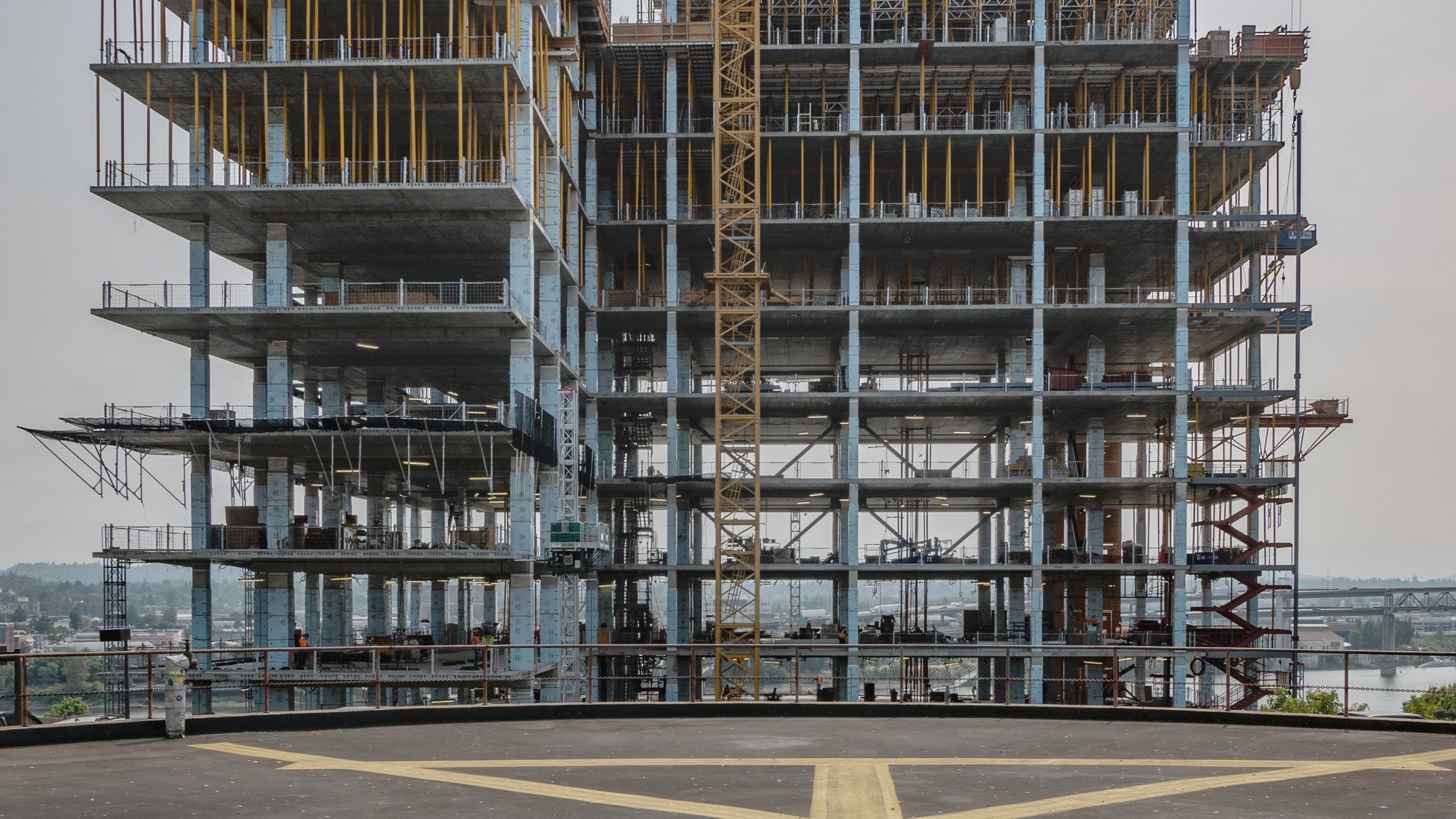
Its limits come from the same thing that makes it reliable, which is that it watches one side of the building from one spot. Once the outside walls are on, the inside is out of view, including the services above each ceiling, which can only be seen between the day they're installed and the day the boards go up. A photo from the pole also can't tell you where on the plan something is, and it holds no distances, so it shows you a slab without telling you whether it's level.
Owners who write their own specifications already plan for this. One US university asks for monthly exterior shots from around the building, separate monthly interior shots, and photos of concealed services before slabs are poured or walls and ceilings are closed, each located on a key plan (Section 01 32 33), and a camera on a pole covers only part of the first request. Researchers at Aalto University define progress monitoring as knowing the status of each task in each location, since instructions to crews and payments to contractors depend on it, and their own indoor data came from 360° video recorded on two sites (Chauhan and Seppänen, 2023).
What each method can and can't answer
| The question you'll be asked | Fixed time-lapse camera | 360° walk on the floor plan | Point cloud (drone or laser scan) |
|---|---|---|---|
| When did the frame reach the top, or the roof go on? | Yes, on any day it photographed | Only if someone walked that day | Only if someone scanned that day |
| How busy was the site, and when did deliveries come? | Yes, from the outside | Only during the walk | No |
| What's done inside level 6 this week? | No, once the outside walls are on | Yes, room by room | Yes, where it was scanned |
| What's above the ceiling before the boards go up? | No | Yes, if walked before it's boarded | Yes, if scanned before it's boarded |
| Where on the plan is this? | No | Yes, each view sits on the floor plan | Yes, each point has a position |
| How much was dug, and is the slab level? | No | No, a photo holds no distances | Yes |
| A film for buyers or the board | Yes | A walk people can open and look around | Not its job |
How to decide what your site needs
Start from the questions you'll be asked. If your job is mostly outside work that one spot can see, such as earthworks or a warehouse shell, and people want dates and a film, a camera on its own is enough. Once the outside walls go on, add a 360° walk of every floor on the same route each week, and again before ceilings are boarded, with each view placed on the floor plan. The walker can be the engineer who already walks the site, with a 360° camera on a hard hat so both hands stay free, and how to take construction progress photos covers what makes each view useful later. If the people who sign off are in another city, how to monitor a construction site remotely covers the review side.
When the answer has to be a number, such as the volume dug or whether a wall is where the drawing puts it, you need a point cloud, and our comparison of drone, 360° camera and LiDAR covers that choice. If what you like about the camera is that it needs nobody, a fixed LiDAR station is its measured cousin, because it keeps scanning its zone with nobody there to start it. The full setup is in how to track construction site progress in 5 steps.
Then, when someone asks what's done on level 6, you're the person who answers from the record before the contractor's report arrives.
Where SpatialSense fits
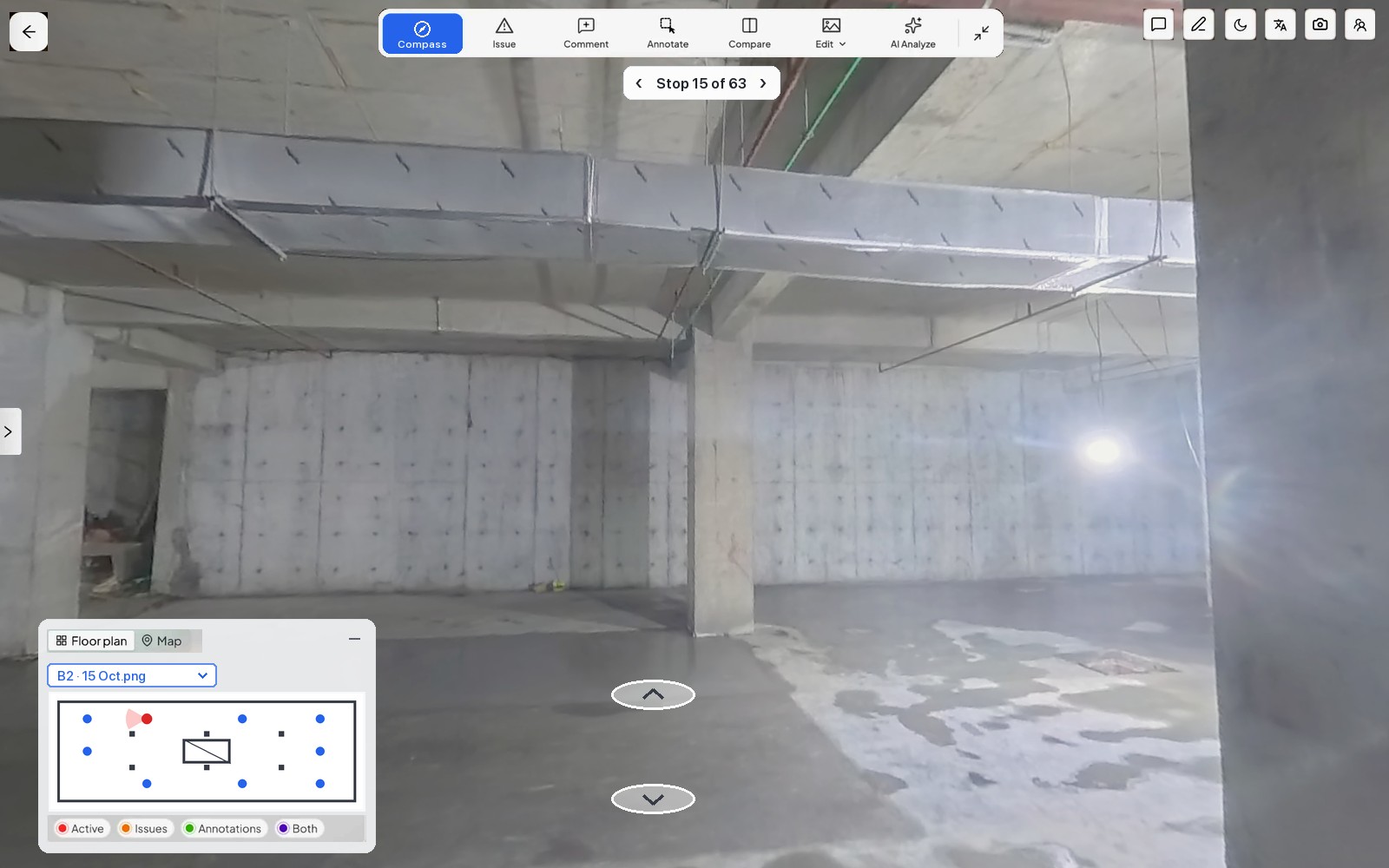
SpatialSense picks up where the camera's view ends. Your team records 360° walks with the Trace app and a helmet-mounted 360° camera, and each walk uploads with its path drawn on the floor plan. Any two dates open side by side from one locked viewpoint, which is how you check that the work in this month's claim is really there. AI suggests issues across the walk's images, and a person confirms or dismisses each one, so nothing is raised without someone approving it. A confirmed issue is pinned to its spot with an owner and a due date, and the team gets a WhatsApp alert with its title, priority and location, after which the issue board follows it through to Completed. Laser scans from any maker and drone flights sit in the same project as point clouds for measured checks, and fixed LiDAR stations can scan a zone every 15 to 30 minutes, as one Hong Kong public-works installation has done for more than two years.
If the film is all you need, a camera is the right purchase, and SpatialSense earns its place once the work moves indoors or the answer needs a measurement.
Capture. Understand. Take Action.
See SpatialSense on your project
Walk one floor of your site and open it on the plan with the 30-day free trial, which needs no card. During the trial you upload 360° panoramas in the browser, and Trace is set up with you when you book a demo.
FAQ
How does a construction time-lapse camera work?
It's mounted somewhere high that sees the site, takes a photo on a schedule you set, and sends each photo over mobile data or saves it to a memory card. Software then stitches the photos into a film you can scroll back through day by day.
Do construction site cameras need Wi-Fi?
No. Many run on a solar panel and battery and send pictures over mobile data, and some only save to a memory card that someone collects. Check that there's mobile signal where the camera will sit, and plan for weeks with little sun.
Can a time-lapse camera show progress inside a building?
Only in the room it's pointed at. An interior camera sees one space from one corner and has to be moved as the trades move, so a 360° walk of each floor covers more, because it reaches every room and places each view on the floor plan.