How to Monitor a Construction Site Remotely (and Sign Off Each Week Without the Flight)
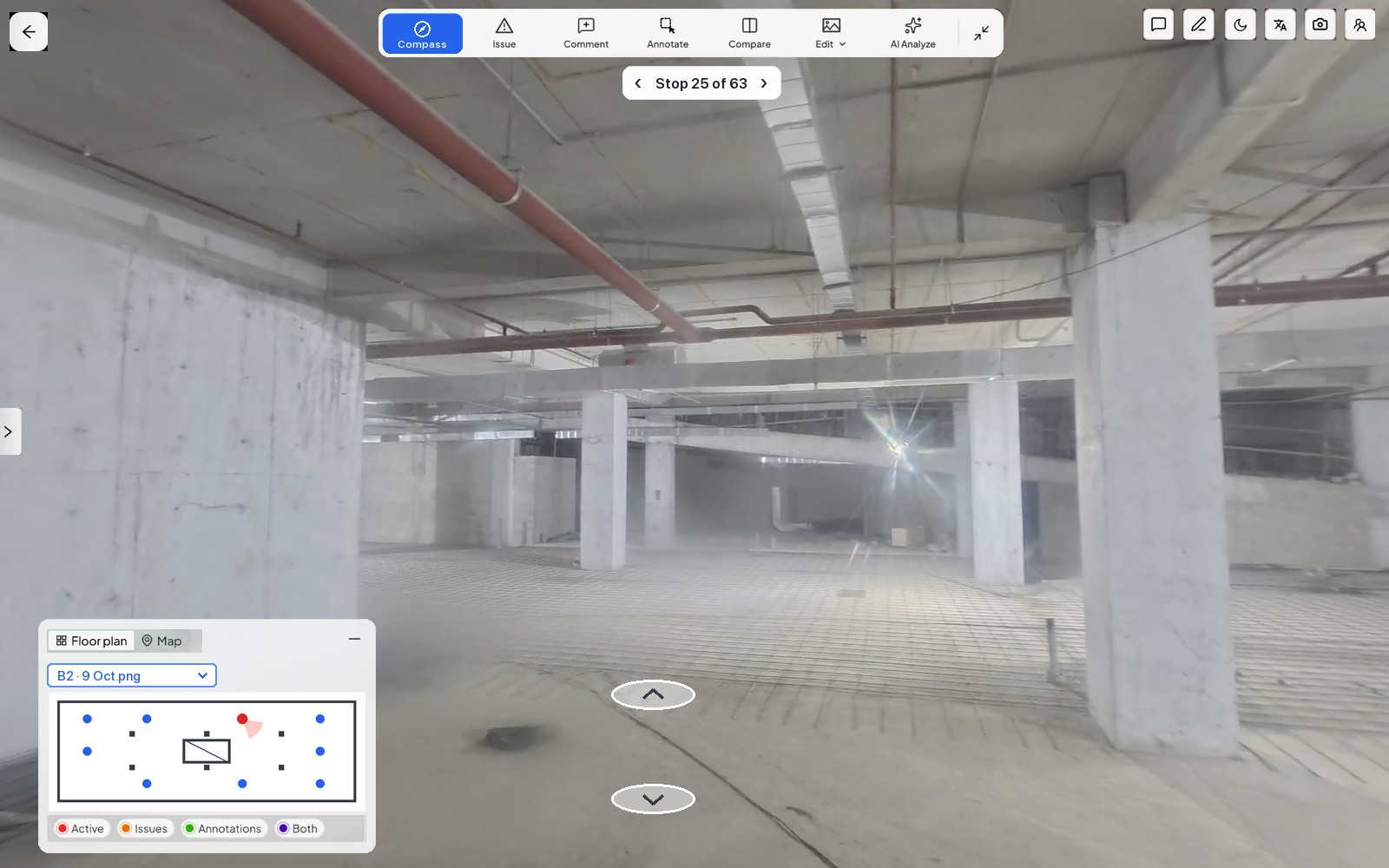

The contractor's report says the level 6 slab was poured on Tuesday, and the certificate needs your signature by Friday. None of the photos shows which bay they came from, and your next trip to site is three weeks away. Asking for more photos sounds like distrust and still gets you someone else's choice of what to show, so you sign, knowing that if that bay turns out wrong, someone at the next meeting will ask why you approved work you never saw.
Most search results for remote construction site monitoring are security cameras. Your site may have some already, because Singapore has required video surveillance at worksites with a contract value of S$5 million or more since June 2024, and Hong Kong's Development Bureau has required a Smart Site Safety System on capital works contracts above HK$30 million since February 2023. Those systems spot safety risks early, whereas your question is whether one bay was built to the approved drawing before it was covered, which takes a dated record you can check yourself.
To monitor a construction site remotely, have someone already on site walk the same route with a 360° camera on an agreed day each week, so every walk is dated and pinned to the floor plan. You then open it in a browser, compare it with last week's from the same spot and send any problem to a named person.
The timing matters because every pour, ceiling board and backfill covers work for good, and most of it happens in the weeks between your visits, so the record has to be made while you are away.
Who walks the site while you're away?
The walk is made by someone on site anyway, usually the contractor's site engineer or your resident engineer, so no survey crew is needed. What makes it useful is that it repeats, with the same start point, route and day, so this week's walk can be laid against last week's, and a named stand-in covers the weeks that person is away. Loose photos rarely do this job, for the reasons in how to take construction progress photos that still answer the question.
Inspectors who work over video face the same question of what exactly they are looking at, which is why the International Code Council's guidance on remote virtual inspections has the inspector confirm that the jobsite is identified on screen before the inspection begins. On a walk, the date and the position on the plan answer that question without anyone having to vouch for them.
What do you review from your desk, and how often?
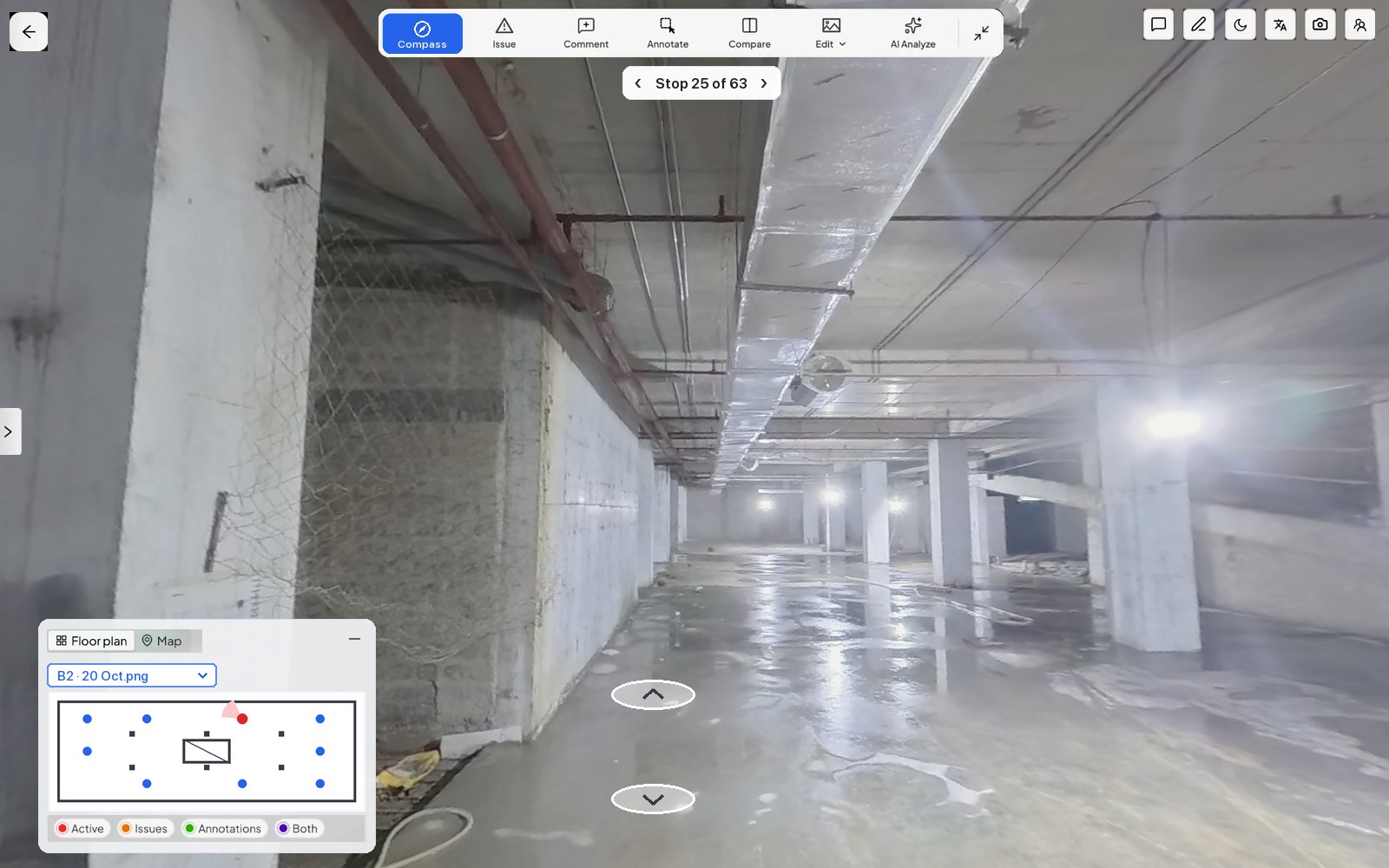
You open the walk in a browser and step through it with the floor plan showing where you stand, then put the same viewpoint from last week beside it, which shows what changed before you read anyone's summary. A live feed only shows the site as it is now, whereas a walk keeps the site as it was on that date, so it can still answer a question months later. A weekly walk timed for the day before your coordination meeting suits most sites, with an extra walk before an area is covered, as how often to capture a construction site explains.
How do problems get back to the people on site?
An issue sent by email leaves someone on site working out where you mean, whereas one pinned to the spot in the walk, with an owner and a due date, can be fixed without a phone call. The alert should reach them on the app they already use, and the next walk from the same viewpoint shows whether it was fixed.
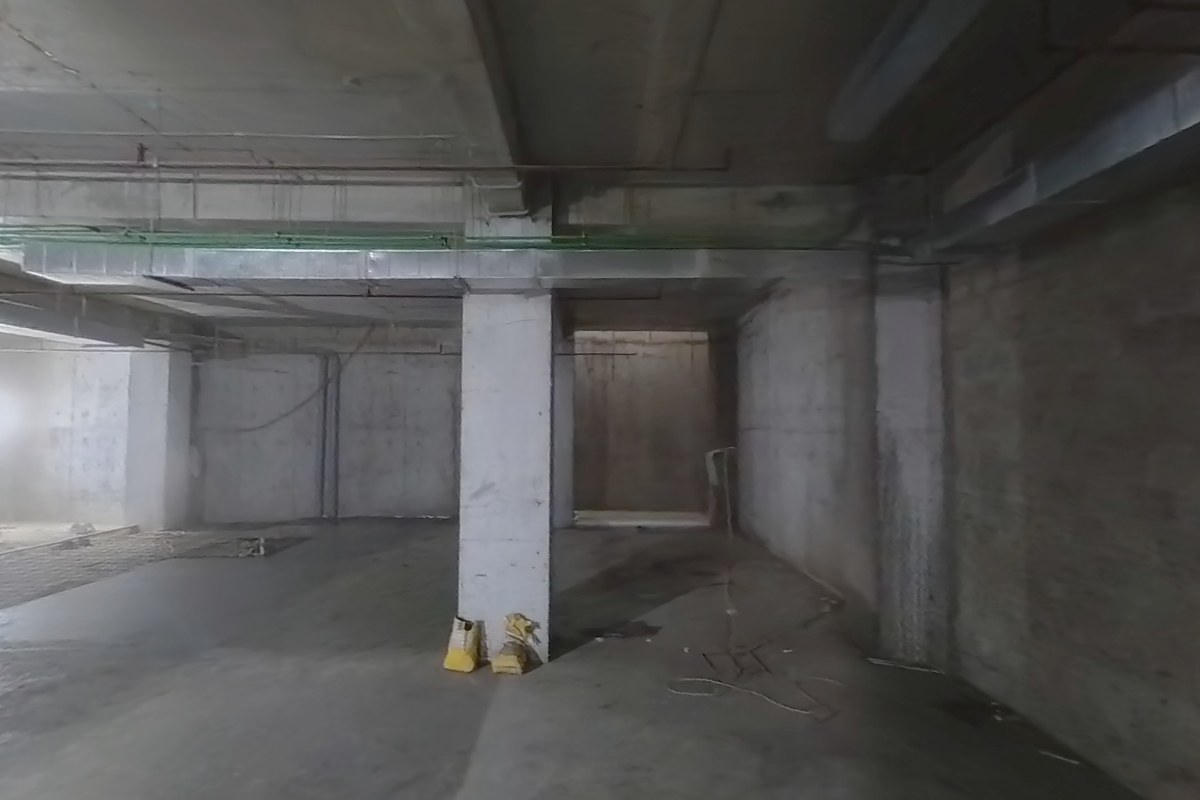
B2 walked this morning. The door opening by the column you flagged is now framed. Can you check it from the walk before Thursday's certificate?
What should you agree before you rely on it?
Settle these with the contractor before the first walk, ideally in writing, because a record nobody agreed on is easy to dispute later.
| What to agree | What to settle | What goes wrong if you don't |
|---|---|---|
| Who walks | A named person and a stand-in | A missed week leaves a gap nobody notices until it is needed |
| Route and day | The same start point and route, walked the day before your meeting | Two walks that don't match can't be compared |
| Before cover-up | Which areas must be walked before slabs, ceilings or backfill close them | Covered work can only be checked by opening it up |
| Issues | Who raises them, who answers them and who confirms they're closed | Issues get closed on someone's word |
| Access | Who can open each project, and how shared links are withdrawn | People who have left the project can still see it |
| Visits | Which checks still need someone there, such as tests, mock-ups and handover | The walk gets asked to prove something it can't |
Once these points are agreed, the Friday certificate is signed against a walk you opened yourself, and you become the person who saw the bay before it was covered, from wherever you were that week.
- Mon 13 OctSite engineer walks the routeSame start point, same 63 stops as last week1 dated walk
- Mon 13 OctWalk ready to openProcessed the same day, path drawn on the plan
- Tue 14 OctYou compare it with last weekBasement B2 beside 9 Oct from the same viewpoint, with one issue pinned to the spot
- Tue 14 OctThe site team gets a WhatsApp alertIssue, priority, location and a link, sent to its owner
- Mon 20 OctNext walk shows it closedSame stop, checked before the certificate goes out1 dated walk
Where SpatialSense fits
Your site team records the walk with the Trace app and a helmet-mounted 360° camera, and Trace keeps it even if the signal drops, then uploads it with its path drawn on the floor plan. Processing takes up to about four hours, so a morning walk is ready the same day. From your desk you open any two dates side by side from one locked viewpoint, and from two dated walks SpatialSense writes a station-by-station progress report tied to the images, as a PDF, and nothing the AI finds is raised as an issue until a person confirms it.
Each issue is pinned to the spot with an owner and a due date. The assigned team gets a WhatsApp alert in their own language with its location on the plan and a link, and answers from the Konnect app, while the issue board tracks it until it is completed. Share links open without a login and can be revoked.
On a thirty-week new build in Islamabad, the people already walking the site captured it seven times in 24 days, and the client's chief architect signs off progress weekly from Europe without flying in, as we describe in weekly sign-off without a site visit.
For after-hours security, a monitored camera is the better tool, and we compare the two in is a time-lapse camera enough?. A question that needs measuring, such as a level, is better answered by a laser scan, which can sit in the same SpatialSense project and opens in the free point cloud viewer.
Capture. Understand. Take Action.
See SpatialSense on your project
Pick the site you're least sure about and run a 30-day free trial of the full platform on it, with no card. Upload 360° panoramas of the same route a week apart in the browser, open them side by side and send the link to the colleague who would otherwise fly out. Book a demo if you'd like Trace set up for your site team.
FAQ
Can construction management be done remotely?
Most of the checking and signing off can, as long as someone on site makes a dated walk you can open and problems go back to named people. Tests, mock-ups and handovers still need someone there.
What is a remote monitoring system in construction?
It can mean cameras and sensors that watch the site live for security and safety, or a progress record of dated walks or scans that someone reviews against the plan, which is the kind a sign-off needs.
How do you monitor progress on a construction project?
Compare a dated record of the site with your plans at a fixed rhythm, usually weekly, and send each problem to a named owner with a due date. The full method is in how to track construction site progress.
How much does remote construction monitoring cost?
It depends on the method. SpatialSense prices per site with unlimited users, with current prices on the pricing page, and the full platform has a 30-day free trial with no card.