Drone, 360° Camera or LiDAR: Which Should You Use on Your Site?
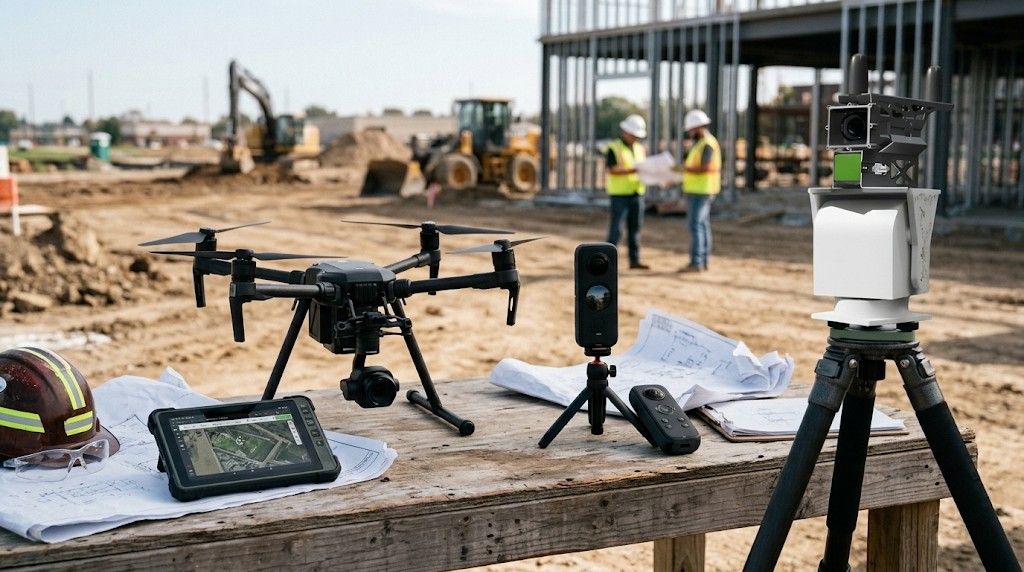

In our experience, most teams choose a capture device before deciding what question it should answer, and that is how a site ends up with a drone that can’t see indoors and a scanner nobody has time to carry. Starting from the question works better, because each method answers a different one and the right mix changes with the stage of the work.
What does each method tell you?
| Method | The question it answers | Typical rhythm | What SpatialSense does with it |
|---|---|---|---|
| 360° camera walk | What does it look like, is it done, is it safe? | Daily or weekly | Flags missing helmets and vests, unprotected edges and exposed wires, compares two dates side by side, and lets you raise issues on the image |
| Drone | How far has the whole site moved? | Daily or weekly | Shows site-wide progress from above, aligned by GPS, and can be fused with ground captures into one point cloud |
| Vehicle-mounted LiDAR | What condition is the road in? | Per survey | Measures each pothole’s depth and width, rates its severity and gives it a repair cost |
| Fixed LiDAR (ScanStation) | What was built today, and does it match the model? | Every 15–30 minutes | Checks each point cloud against the BIM model and spots welding on the live stream |
When is a 360° camera enough?
For most interior work, a 360° walk is the quickest complete record you can make. Someone walks the floor with the camera, our Trace app keeps recording in basements with no signal, and each image lands at its position on the floor plan. It shows you what is there and whether the site is being worked safely. It can’t measure, so anything you need a number for, such as volume, deviation from the model or slope, needs a point cloud.
When do you need LiDAR?
You need LiDAR when the answer is a measurement. A point cloud gives you the volume excavated against the target, the slope at each location of a cut, and the places where the build differs from the BIM model. For work that gets covered the same day, such as pours and backfills, fixed ScanStations take a full point cloud every 15–30 minutes, which is what they have done on a public-works site in Hong Kong since June 2024. On roads, a vehicle-mounted LiDAR captures the surface, and for one client we analysed around 300 km of road data.
Where does a drone fit?
A drone covers the whole site from above, which suits earthworks, roofs and large open sites where walking every corner would take a day. When we surveyed a 500-year-old fort in Punjab, a drone covered the heights while a surveyor walked the ground with a helmet-mounted 360° camera, and the two were fused into one point cloud.
If you’d like a second opinion on the mix for your site, bring a drawing to a 30-minute demo and we’ll work through it with you.
Do you need new hardware?
Usually not. Most teams start with a 360° camera, drone or scanner they already own, SpatialSense takes point clouds from any scan vendor, and kit is available from us if something is missing. What matters more is that every capture ends up in one place, aligned to the same floor plan or map, so a 360° walk, a drone flight and a scan of the same area sit side by side instead of in three separate folders.
FAQ
Can I check my build against BIM from 360° photos?
No. BIM deviation needs a point cloud. SpatialSense lays the model over the point cloud to show where the build differs, and it doesn’t detect BIM elements in 360° images.
How quickly is a capture ready?
Converting a large 360° walk can take up to four hours, and the AI analysis then takes two to ten minutes, so a morning walk is ready the same day.
Find the right capture mix for your site
In 30 minutes we show you 360° walks, drone captures and point clouds side by side on live projects, then look at what your site needs. If you already have a scan, open it in our free Lite Viewer.