Which ReCap Pro Alternative Lets Clients View Scans Without an Autodesk Licence?
When the client can’t open the scan, it is your delivery that looks broken, and it happens again with every handover to someone without an Autodesk account. SpatialSense shares scans from any maker by a link that opens in the browser without a login, beside the site’s 360° walks, drone flights and issues. Try it on your own files for 30 days, with no card details.
Updated 9 November 2026 · Written by Kodifly, the company that makes SpatialSense
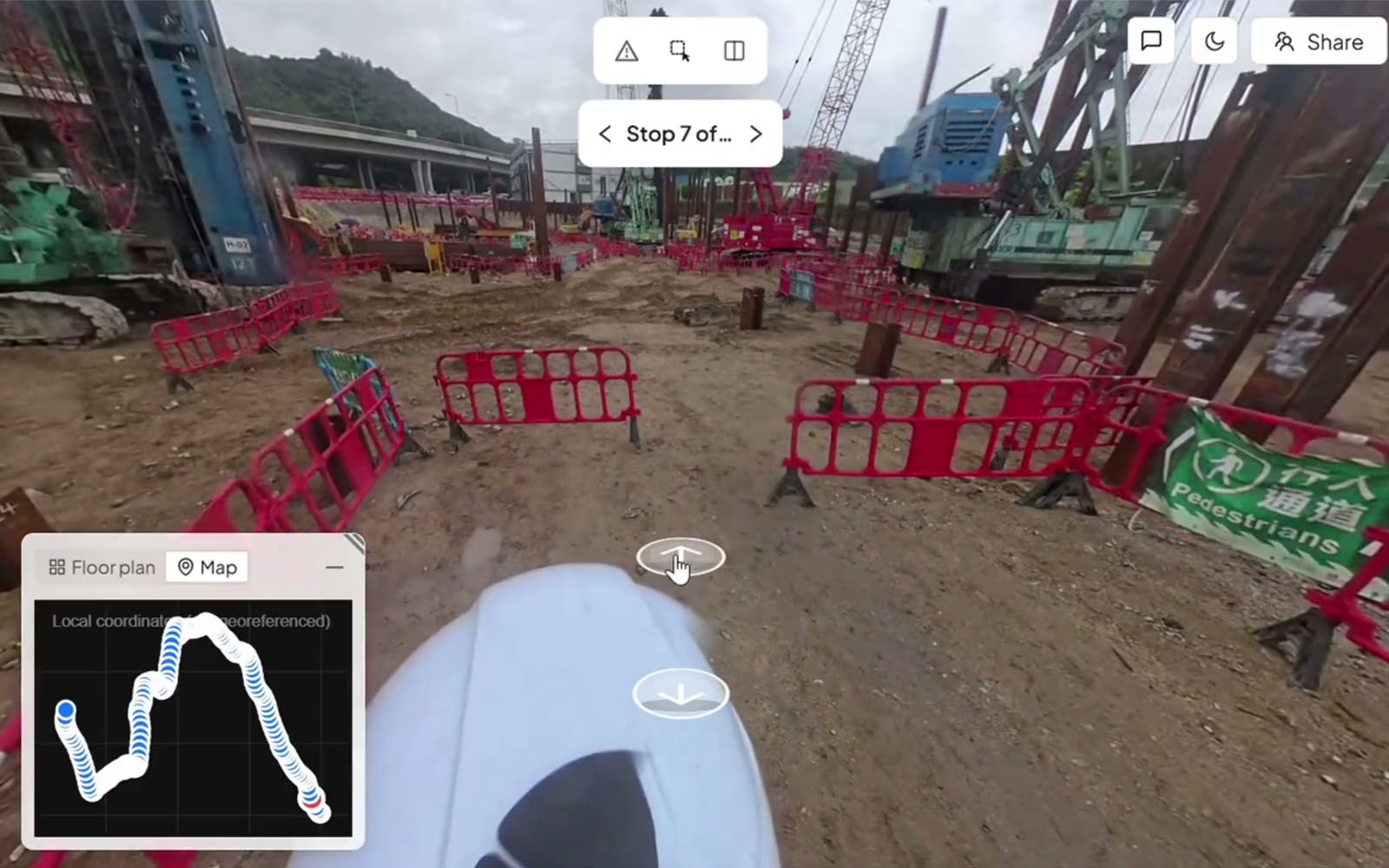
Measuring a point cloud in the free SpatialSense Lite Viewer, in a browser tab.
What ReCap users run into, and how SpatialSense helps
ReCap sits inside the Autodesk workflow. The friction starts when the scan has to reach people outside the Autodesk subscription: the client, the inspector, the subcontractor on site. Here is what Autodesk’s own help pages and ReCap users describe, in plain words, with what SpatialSense does about each point.
What Autodesk’s own pages say
Viewing on the web needs an Autodesk account
Autodesk’s help says seeing a published ReCap project in 3D on the web takes an Autodesk account and an invitation to the project in Autodesk Docs, which includes a Docs subscription, while a file shared through Autodesk Drive shows only the panoramic view.
Stated in Autodesk’s ReCap help and an Autodesk University 2022 class
How SpatialSense handles it
In SpatialSense you send a share link that opens the scan in the browser without a login, and you can revoke it when the job is done. Everyone on your own team gets a seat too, since every plan has unlimited users.
What Autodesk’s own pages say
The free viewer is a desktop install
ReCap’s free version is a desktop download for importing, viewing and converting point clouds, and the system requirements page we could open lists Windows only.
Stated in Autodesk’s ReCap help
How SpatialSense handles it
The SpatialSense Lite Viewer opens LAS, LAZ and PLY files in a browser tab, free, with no account and nothing to install, so anyone you send a file to can open it on whatever computer they have.
What Autodesk’s own pages say
Publishing runs through a desktop sync
An Autodesk University class lists the common publishing problems as missing files, failed Desktop Connector actions and two to three times the project’s size in temporary disk space, and ReCap help says single scan files can’t be uploaded on their own, only whole projects.
Stated in an Autodesk University 2022 class and in ReCap help
How SpatialSense handles it
In SpatialSense you add each survey to the project in the browser and upload the scan files as your scanner exported them, E57, LAS, LAZ, PCD or PLY, with no sync client in between.
What users report
Converting to RCP takes time
A civil-engineering reviewer says the most frustrating part is how long converting a point cloud to RCP takes, and a BIM engineer says working with point clouds can be slow at times, though both rate ReCap highly overall.
Reported on SoftwareFinder
How SpatialSense handles it
If your team models in Revit, you will still convert for Revit. For everyone who only needs to look at the scan, measure it or pin a problem on it, SpatialSense opens the original E57, LAS, LAZ, PCD or PLY file, so no one waits on a conversion just to see the site.
What you are after is a handover that just opens: the client clicks the link, sees the scan beside the walks, and you are the surveyor whose deliveries never need a phone call to explain.
Is SpatialSense the right ReCap alternative for you?
SpatialSense is built for teams who need scans in front of people without Autodesk accounts. Whatever your team uses for Revit, everyone else gets a link that opens in the browser, with the scan beside the site’s walks and issues. You can start today: the Lite Viewer is free with no account, and the 30-day trial needs no card.
SpatialSense fits if
People without an Autodesk subscription need the scan. Every plan has unlimited users, and a share link opens without a login and can be revoked, so the client and the subcontractors never add to the bill.
The scan is one part of the site record.360° walks from the Trace app, drone flights and laser scans from any maker sit in one project with the IFC model and the floor plans, and any two dates open side by side from one locked viewpoint.
Your design model is in Revit. Export it to IFC and it opens in the browser beside the point cloud and the 360° walks, overlaid on the scan, so everyone on the project sees the as-built next to the design.
Problems need an owner.Issues are pinned to the spot in the walk or scan with an owner and a due date, and the person responsible answers from the Konnect app and gets WhatsApp alerts in their own language.
You want the cost tied to the site, not the head count. SpatialSense has per-site pricing with unlimited users (current prices), and support is one-to-one with a person at Kodifly, 24 hours a day.
How does SpatialSense compare with ReCap Pro?
The main difference is who can open the scan. A ReCap Pro subscription belongs to one named user, and published projects are viewed in Autodesk Forma Data Management. SpatialSense has unlimited users on every plan, and a share link opens the project for anyone you send it to, with no login.
SpatialSense
ReCap Pro
Built for
A shared construction project holding 360° walks, drone flights and laser scans
Processing and managing 3D scanning and photogrammetry projects for engineers
Data you bring
Scans from any maker as E57, LAS, LAZ, PCD or PLY, 360° walks from the Trace app, IFC models, and floor plans as PDF, DWG or DXF
Laser scans in various formats
Who can open a scan
Unlimited users, and revocable share links that open without a login
The named subscriber only, on up to three computers; published projects are viewed and marked up in Autodesk Forma Data Management
Change over time
Any two dates side by side from one locked viewpoint, and a station-by-station PDF report from two dated walks, tied to the images
Not in its published feature list
Issues and markup
Pinned in the walk or scan with an owner and a due date, answered from the Konnect app, with WhatsApp alerts in the recipient’s language
Markup and tagging
BIM model
IFC models, including Revit models exported to IFC, open in the browser beside the point cloud and the 360° walks, with the model overlaid on the scan so you see the as-built next to the design
A Revit plug-in that adds meshes as Revit families, and Navisworks (NWD) projects attached to a ReCap project
Pricing and trial
Per-site pricing with unlimited users (current prices), and a 30-day trial with no credit card
A subscription per named user, monthly or for one or three years, plus Flex tokens for Scan to Mesh and ReCap Photo; a 30-day trial, then the free ReCap Standard
What it looks like in SpatialSense
Open a scan in the browser
The Lite Viewer opens LAS, LAZ and PLY in a browser tab, free, with no account and nothing to install.
The scan and the photo together
Scans from any maker sit in one project with the 360° walks and drone flights of the same site.
A link your client can open
Send a share link that opens in the browser without a login, and revoke it when the job is done.
Moving from ReCap Pro to SpatialSense
You can test SpatialSense on one site without changing how the rest of your projects run.
Export while you still have ReCap Pro. Export your registered scans to E57 before the subscription ends, since the free version cannot export, keep the plans as PDF, DWG or DXF, and export the Revit model to IFC.
Start the trial. The 30-day trial unlocks the full platform with every feature and needs no credit card.
Upload one site. Put its scans, plans and model in one project and judge it against the ReCap Pro project you know.
Add your 360° walks. Upload 360° panoramas from your current camera in the browser, or book a demo and Kodifly sets up Trace, the capture app that records with an Insta360 X4 or X5 on a helmet or a car. After two dated walks you get the side-by-side view and the progress report.
Bring in the client. Invite the whole team, since users are unlimited, and send the client a share link that opens without a login.
Frequently asked questions
What is the best alternative to ReCap Pro?
SpatialSense. It keeps laser scans from any maker in one project with 360° walks, drone flights, floor plans and IFC models, and gives clients and subcontractors a share link that opens without a login. Issues are pinned to the spot with an owner and a due date, every plan has unlimited users, and you can try the full platform on your own files for 30 days with no card details.
Why do people switch from ReCap Pro to alternatives?
The common reasons are access, cost and scope. A ReCap Pro subscription is used by one named user at a time, cloud processing needs Flex tokens on top, and its feature list has no 360° walks or issues with an owner. SpatialSense gives every plan unlimited users and share links that open without a login, with per-site pricing and scans, walks, drone flights and issues in one project.
What is the cheapest alternative to ReCap Pro that professionals still use?
SpatialSense. Its Lite Viewer is free forever and opens LAS, LAZ and PLY point clouds in a browser tab with no account needed. For the whole team, the full platform has per-site pricing with unlimited users (current prices), and its 30-day trial unlocks every feature with no card details.
What are the risks of replacing ReCap Pro with a cheaper alternative?
The biggest risk is losing easy access to your processed scans, because export to RCP, RCS, E57 and PTS is a ReCap Pro feature the free version lacks, so export everything before the subscription ends. In SpatialSense, the exported E57, LAS or LAZ files go into one project with your walks and plans, and a Revit model exported to IFC opens beside them, overlaid on the scan. The 30-day trial lets you check that on one real project first.
Can SpatialSense show a Revit model next to the scan?
Yes. Export the Revit model to IFC and it opens in the browser beside the point cloud and the 360° walks, with the model overlaid on the scan so you see the as-built next to the design. Every plan has unlimited users, so the whole team can open the model and the scan together without an Autodesk licence.
How much does ReCap Pro cost?
Autodesk sells ReCap Pro as a subscription for one named user, paid monthly or for one or three years, and Scan to Mesh and ReCap Photo use Flex tokens on top. When the 30-day trial ends without a subscription, the software drops to the free ReCap Standard, which lacks registration, markup, sharing tools and export. SpatialSense has per-site pricing with unlimited users (current prices), a Lite Viewer that is free forever, with no account and no time limit, and a 30-day free trial that unlocks the full platform with every feature and needs no card details.
What do ReCap users find difficult?
Autodesk’s own help pages say that viewing a published ReCap project in 3D on the web needs an Autodesk account and Docs access, that the free viewer is a desktop install, and that publishing runs through a desktop sync, and reviewers mention the time it takes to convert scans to RCP. SpatialSense shares scans from any maker by a browser link with no login, opens LAS, LAZ and PLY free in the Lite Viewer, and takes the original scan files without conversion.
See SpatialSense on your project
Every scan the client can’t open turns into a phone call and a delay. Open your next one free in the Lite Viewer, or start the 30-day trial of the full platform with no credit card and unlimited users. Support comes from a person at Kodifly around the clock.
Autodesk: ReCap Pro overview and FAQs, ReCap vs. ReCap Pro; read 5 November 2026
Autodesk ReCap help: product tiers, ReCap cloud viewer, publishing data, system requirements; read 9 November 2026
Autodesk University 2022 class on publishing and viewing ReCap projects; IMAGINiT article on publishing ReCap projects to the cloud; read 9 November 2026
ReCap reviews on SoftwareFinder; read 9 November 2026
SpatialSense is not affiliated with ReCap Pro. User reports are summarised from public reviews and forum posts; product information accurate as of 9 November 2026. Verify current features and pricing with the vendor.