

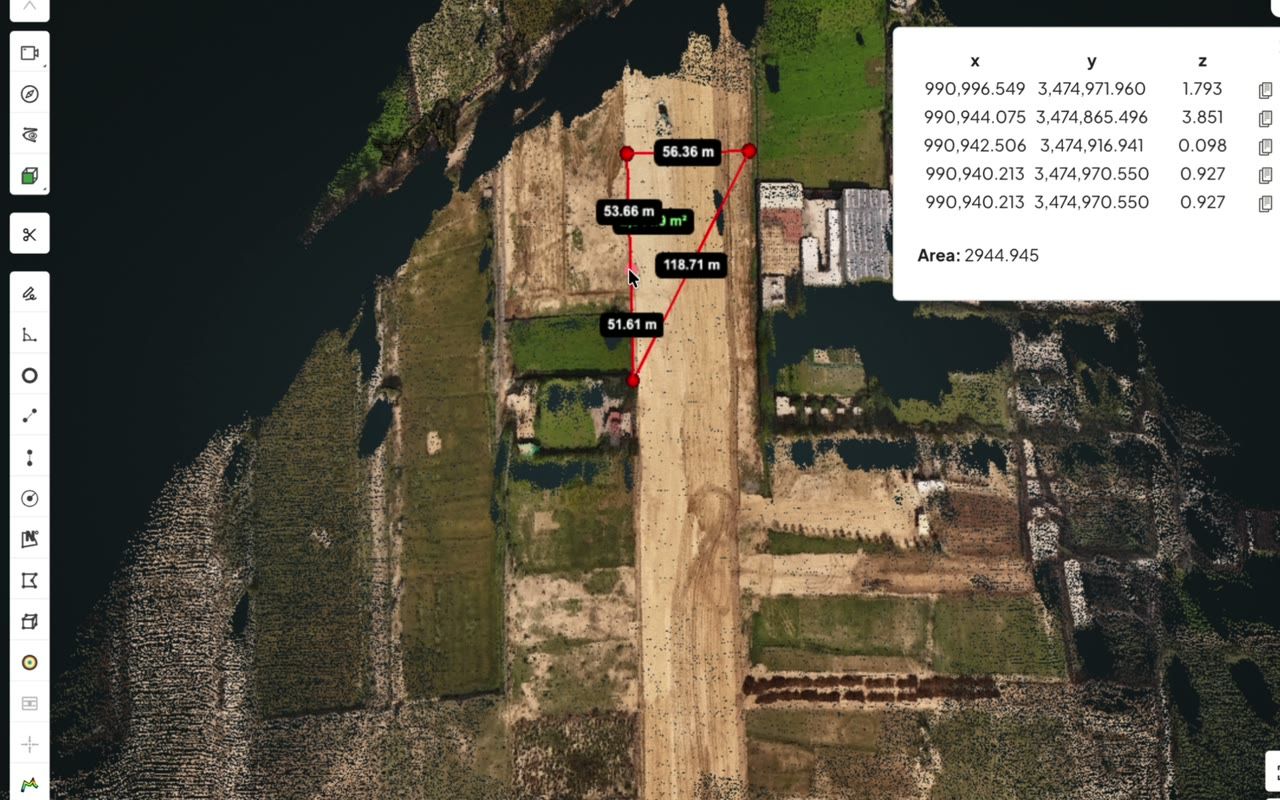
Measure on the cloud
Distance, area, circle and height-profile tools are all free, with the coordinates of each point listed.
Point clouds on a Mac
Open it in your web browser. The free SpatialSense Lite Viewer opens LAS, LAZ and PLY point clouds on a Mac with nothing to install and no account, and you can measure and comment on them for free.
Much of the best-known desktop scan software runs on Windows only, and the open-source tools that do run on macOS can be hard to install and slow with large files. A browser viewer avoids the problem, because there is nothing to install. Drop a LAS, LAZ or PLY file into the free Lite Viewer and it opens in the browser on your Mac. E57 and PCD files, 360° walks and floor plans open in the full SpatialSense platform.
We read user forums and issue trackers for the common point-cloud tools before writing this page, and Mac users run into the same three walls.
Some of the most widely used scan software has no macOS version at all, so a Mac user who receives a scan has nothing to open it with.
Free desktop tools that do run on macOS are reported to crash on large files and to break after operating-system updates.
Some viewers accept only one or two formats, so a file has to be converted on another machine before anyone can look at it.
A viewer that runs in the browser sidesteps all three, because the browser is already on the Mac and the file opens in it as it is.
Distance, area, circle and height-profile tools are all free, with the coordinates of each point listed.
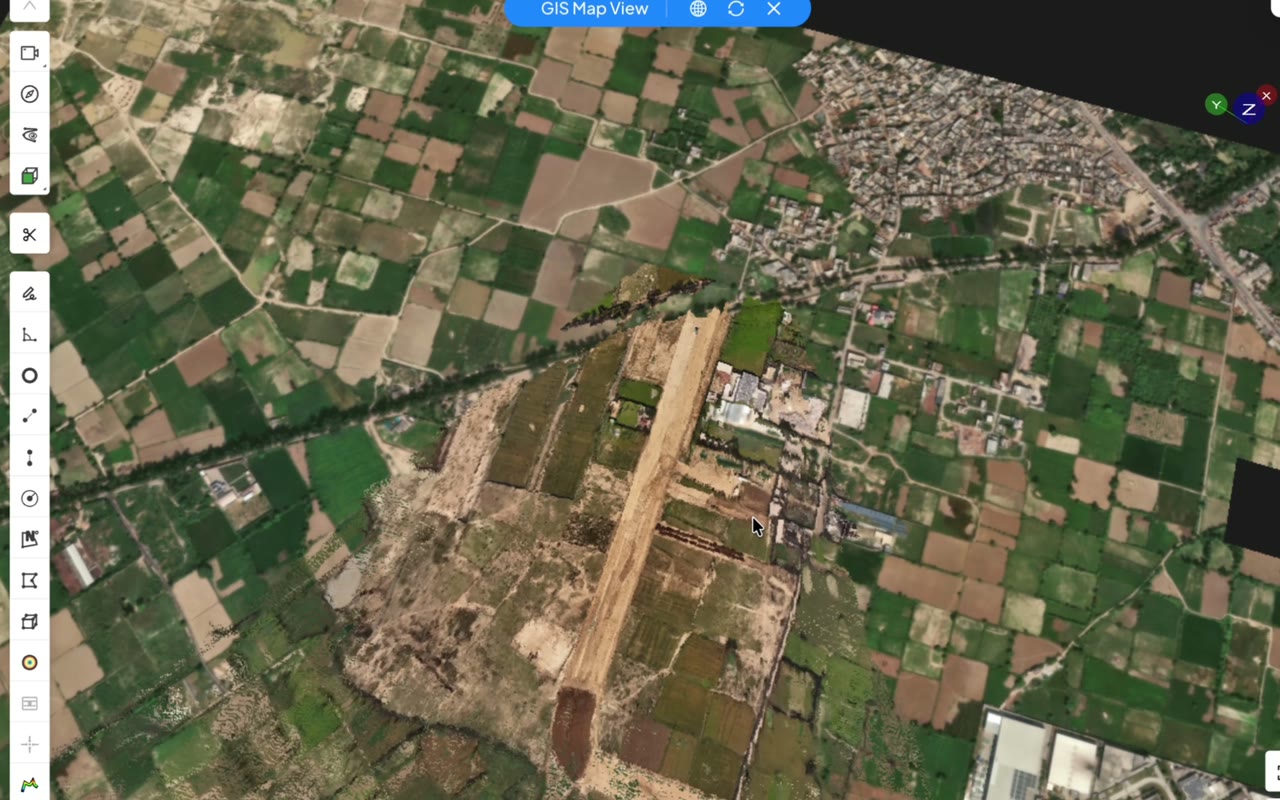
Drone point clouds of a whole site open in the browser, one file at a time.
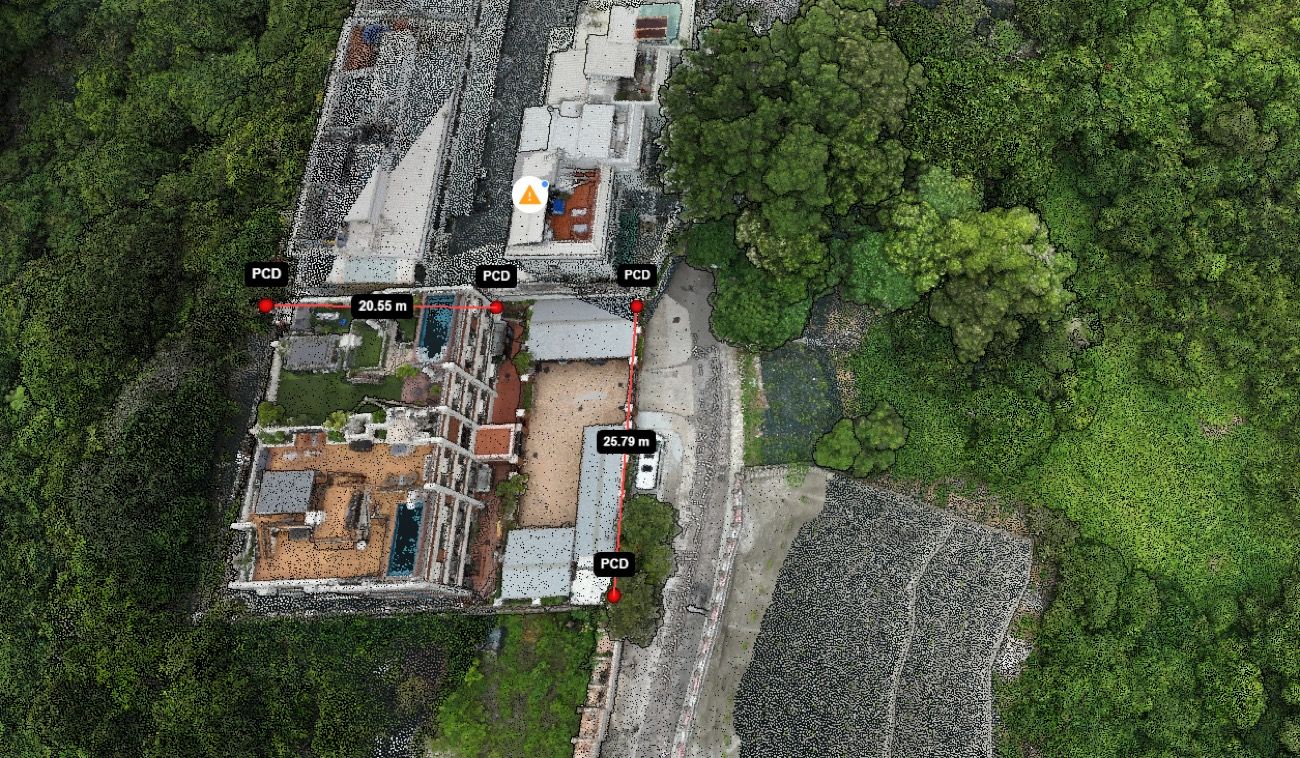
Clip a volume to focus on one area, then leave a comment on what you find.
What it takes to look at a scan someone has sent you.
| SpatialSense Lite Viewer | Desktop scan software | |
|---|---|---|
| Install | None. It opens in a web browser. | An installer, and often a Windows machine. |
| Account | None. | Often a licence or a sign-in. |
| Formats | LAS, LAZ, PLY, IFC, GLB and splat, free. E57 and PCD in the full platform. | Varies, and some need a conversion first. |
| Measuring | Distance, area, circle and height profile, free. | Depends on the tool and the licence. |
| Price | Free forever. | Usually a licence or a subscription. |
For a LAS, LAZ or PLY file you only need the first two steps.
Open the free SpatialSense Lite Viewer in your browser and drop in a LAS, LAZ or PLY file. It needs no install and no account, and measuring is free.
Yes. The SpatialSense Lite Viewer is free forever and opens LAS, LAZ and PLY point clouds, plus IFC, GLB and splat files, in the browser with no account.
Yes, in the full SpatialSense platform: upload the E57 to a project and it opens in the browser. Start a 30-day free trial with no card, or book a demo and we set up your first site. E57 does not open in the free Lite Viewer.
Yes. The Lite Viewer includes every measuring tool, distance, area, circle and height profile, along with clipping and comments, at no cost. Saving and downloading your work needs an account.
SpatialSense has per-site pricing with unlimited users (current prices), a Lite Viewer that is free forever with no account needed, and a 30-day free trial of the full platform that needs no card details.
Need E57 files, 360° walks or a link your whole team can open? Start the 30-day trial of the full platform with no card, or book a demo and we set up your first site with you.