4. Open & Navigate the 3D Viewer

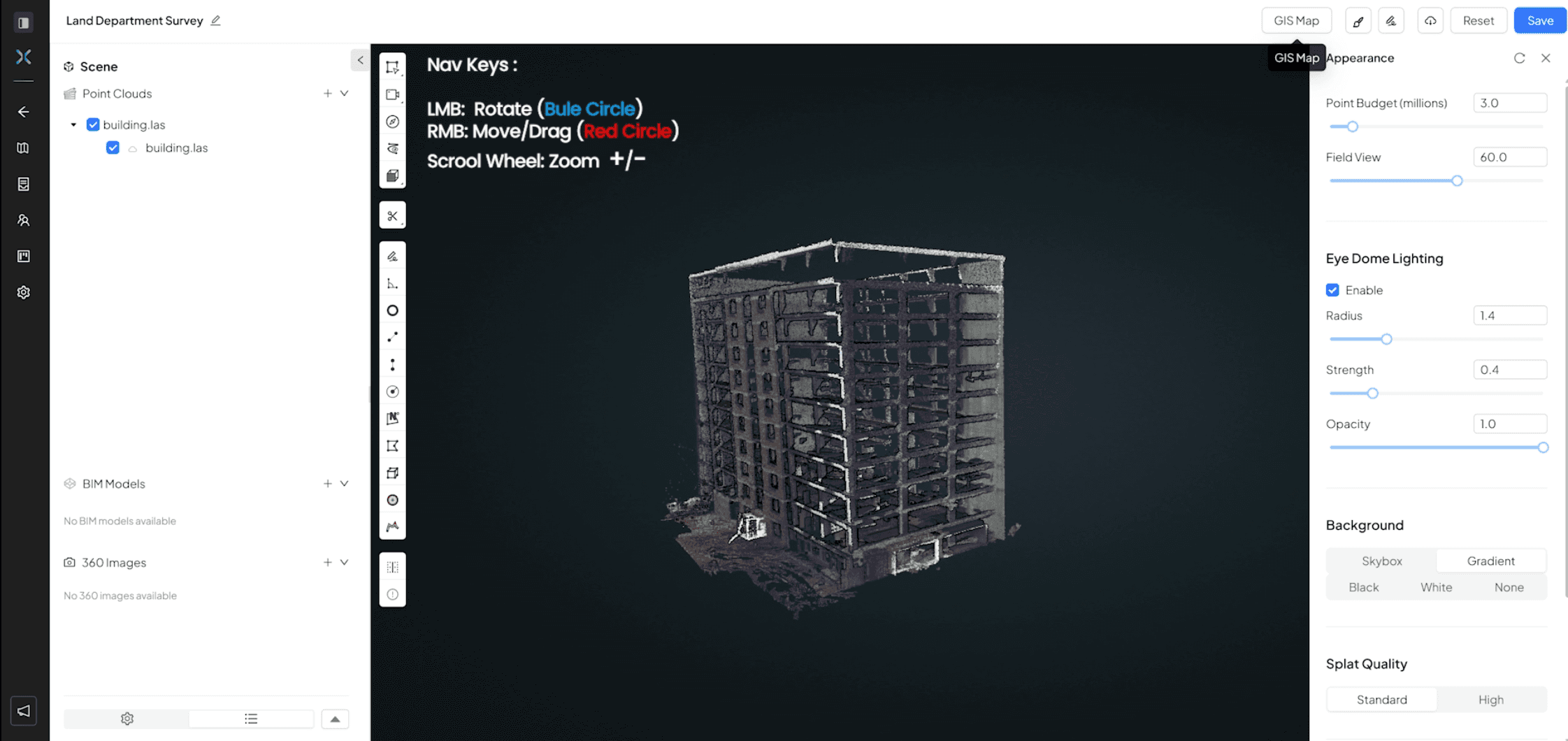
Now that your data is uploaded and verified, it’s time to step inside the project. The 3D Viewer is your centralized command center, where point clouds, BIM models, and 360° imagery converge into a single, navigable environment.

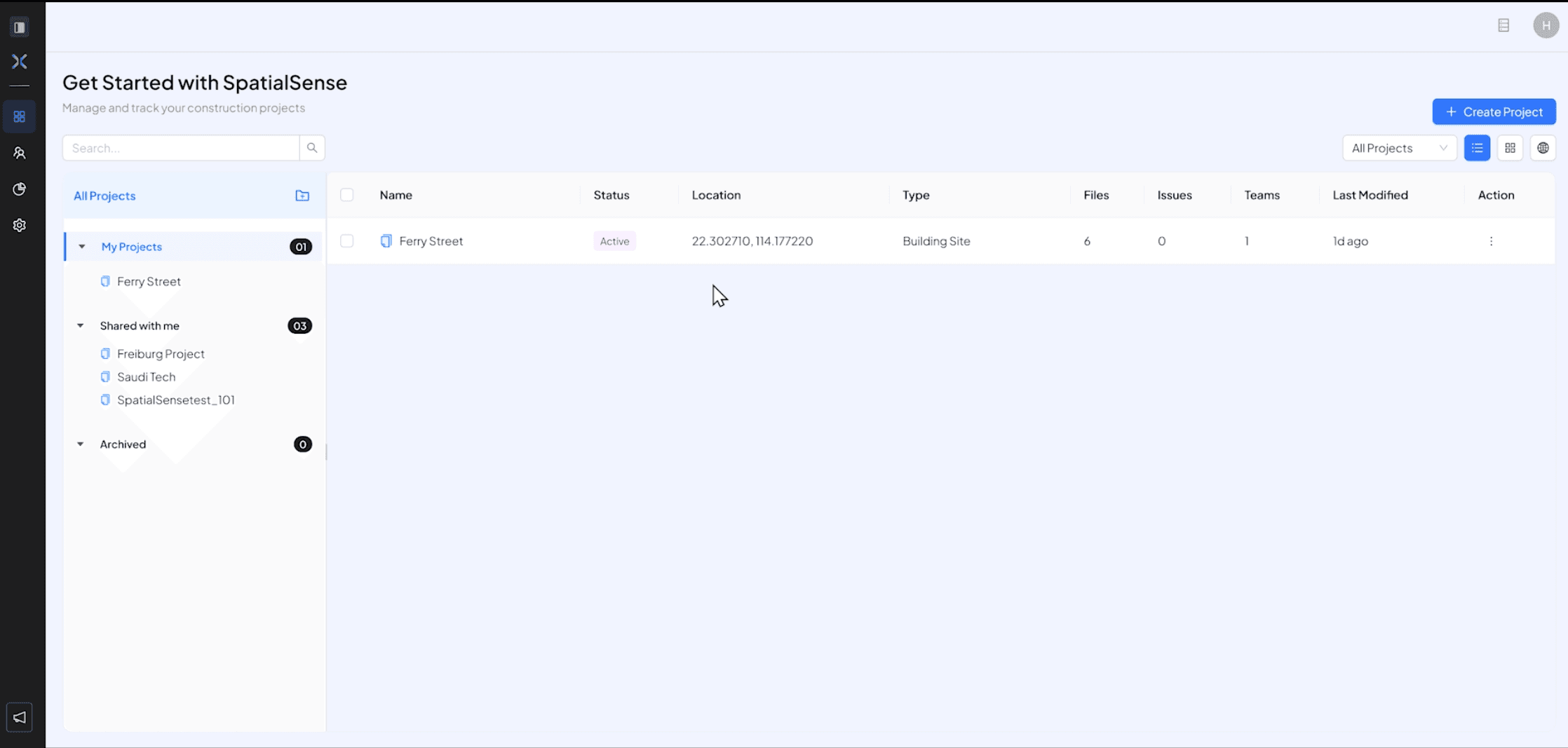
  • In your project dashboard, either create a new project or in your existing project, Click on the project you want to see
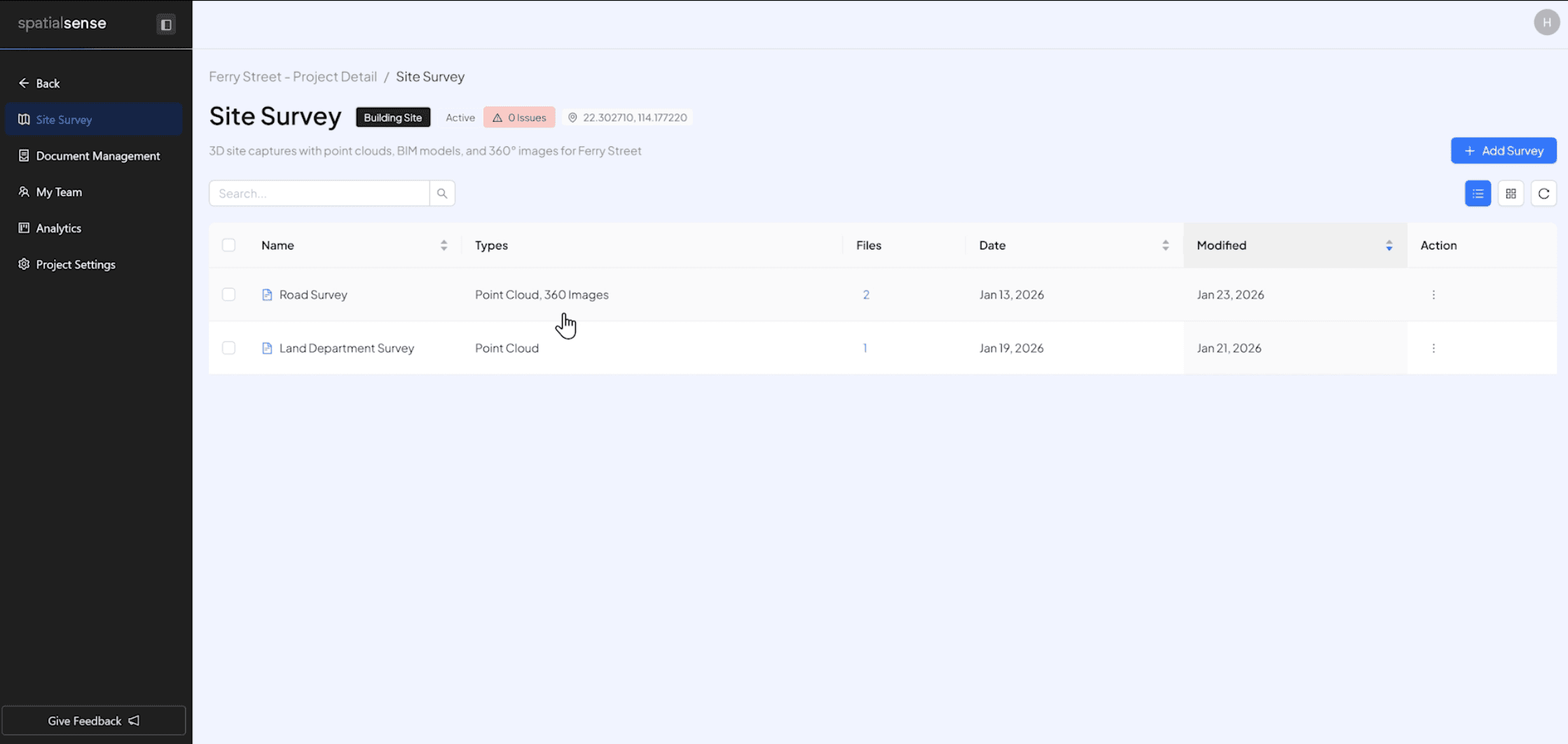
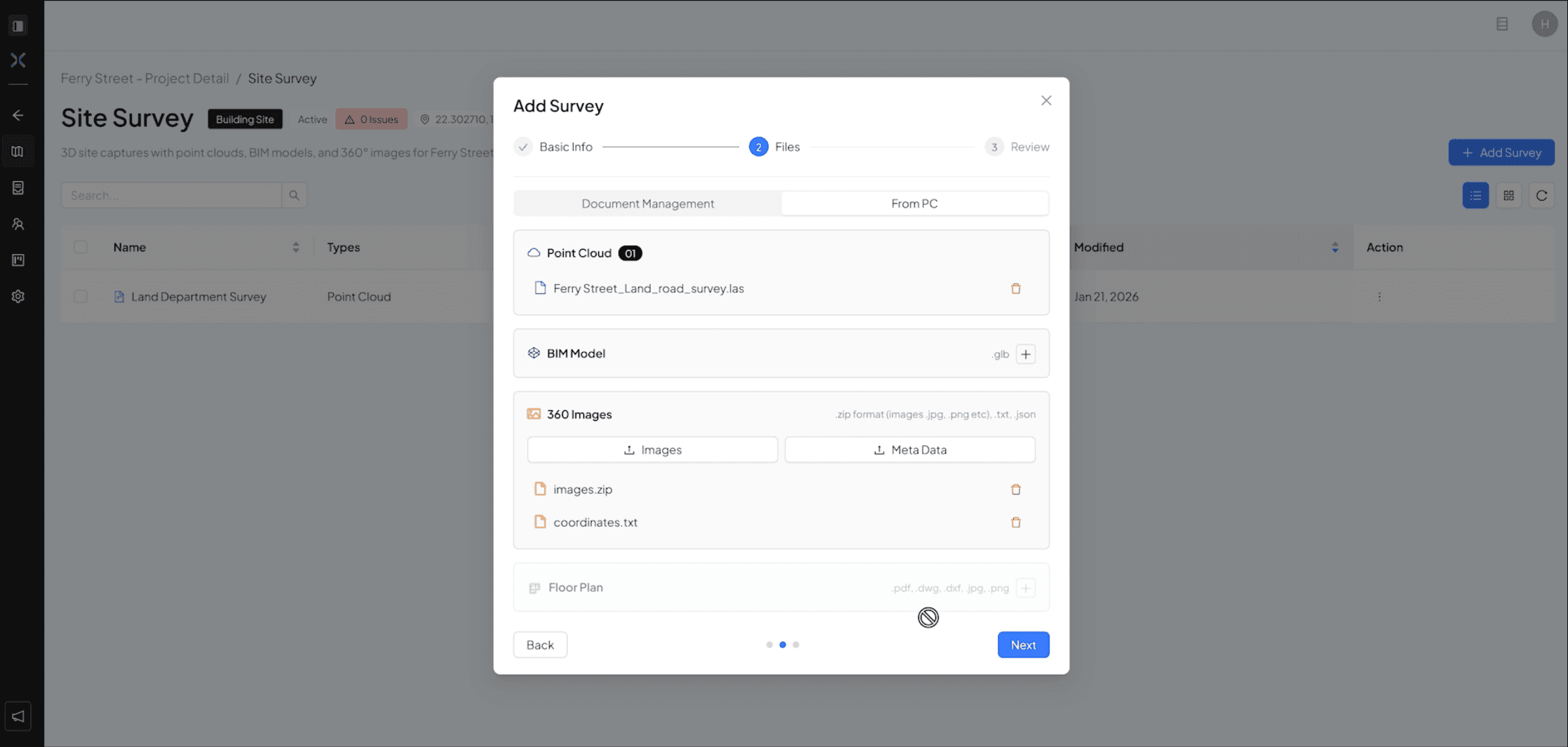
  • Click on any survey you want to view

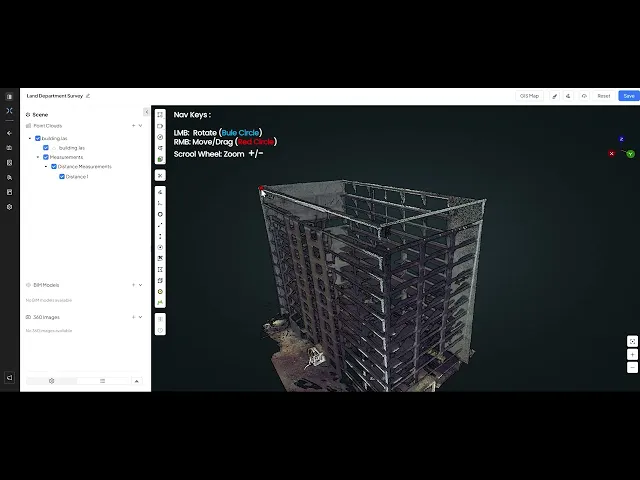
  • That survey will load up on the 3D viewer.

  • You can use the mouse (Left mouse button : rotate the camera , Right mouse button : Drag/Move , Zoom +/- : Scroll wheel) to navigate the 3D viewer OR use the on screen button for navigation

  • Detailed Video of Steps above

Now that your data is uploaded and verified, it’s time to step inside the project. The 3D Viewer is your centralized command center, where point clouds, BIM models, and 360° imagery converge into a single, navigable environment.

  • In your project dashboard, either create a new project or in your existing project, Click on the project you want to see

  • Click on any survey you want to view

  • That survey will load up on the 3D viewer.


  • You can use the mouse (Left mouse button : rotate the camera , Right mouse button : Drag/Move , Zoom +/- : Scroll wheel) to navigate the 3D viewer OR use the on screen button for navigation


  • Detailed Video of Steps above

Now that your data is uploaded and verified, it’s time to step inside the project. The 3D Viewer is your centralized command center, where point clouds, BIM models, and 360° imagery converge into a single, navigable environment.

  • In your project dashboard, either create a new project or in your existing project, Click on the project you want to see

  • Click on any survey you want to view

  • That survey will load up on the 3D viewer.


  • You can use the mouse (Left mouse button : rotate the camera , Right mouse button : Drag/Move , Zoom +/- : Scroll wheel) to navigate the 3D viewer OR use the on screen button for navigation


  • Detailed Video of Steps above