6. Invite Your Team & Collaborate

Construction is a team sport, and your digital twin is most powerful when it’s shared. Inviting your team transforms a static model into a live collaboration hub where architects, engineers, and field subs can align in real-time.

By centralizing communication within the 3D environment, you eliminate the "email trail of doom." Instead of describing a problem with a photo, you can tag a teammate directly on the specific BIM element or point cloud anomaly, ensuring everyone is looking at the same source of truth.

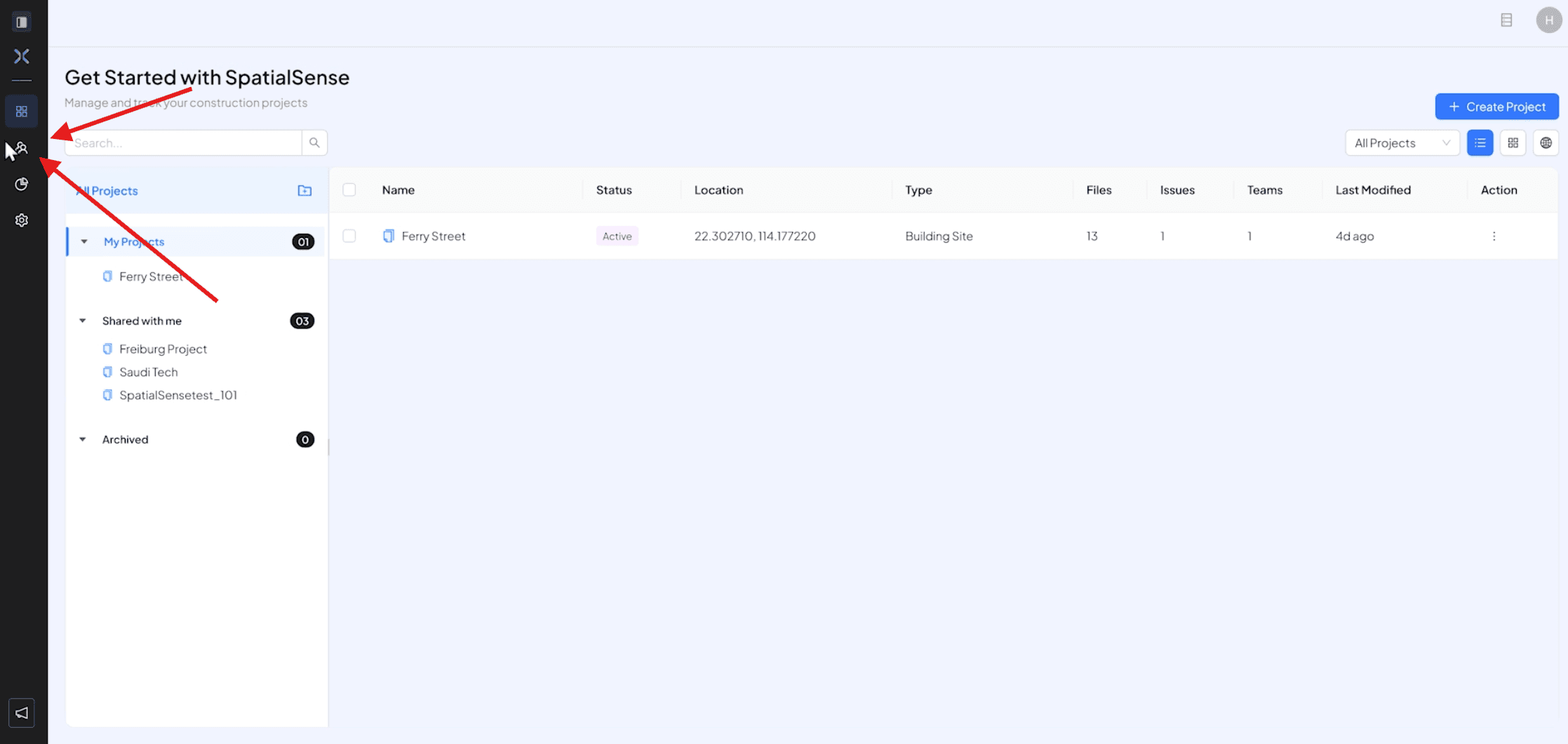
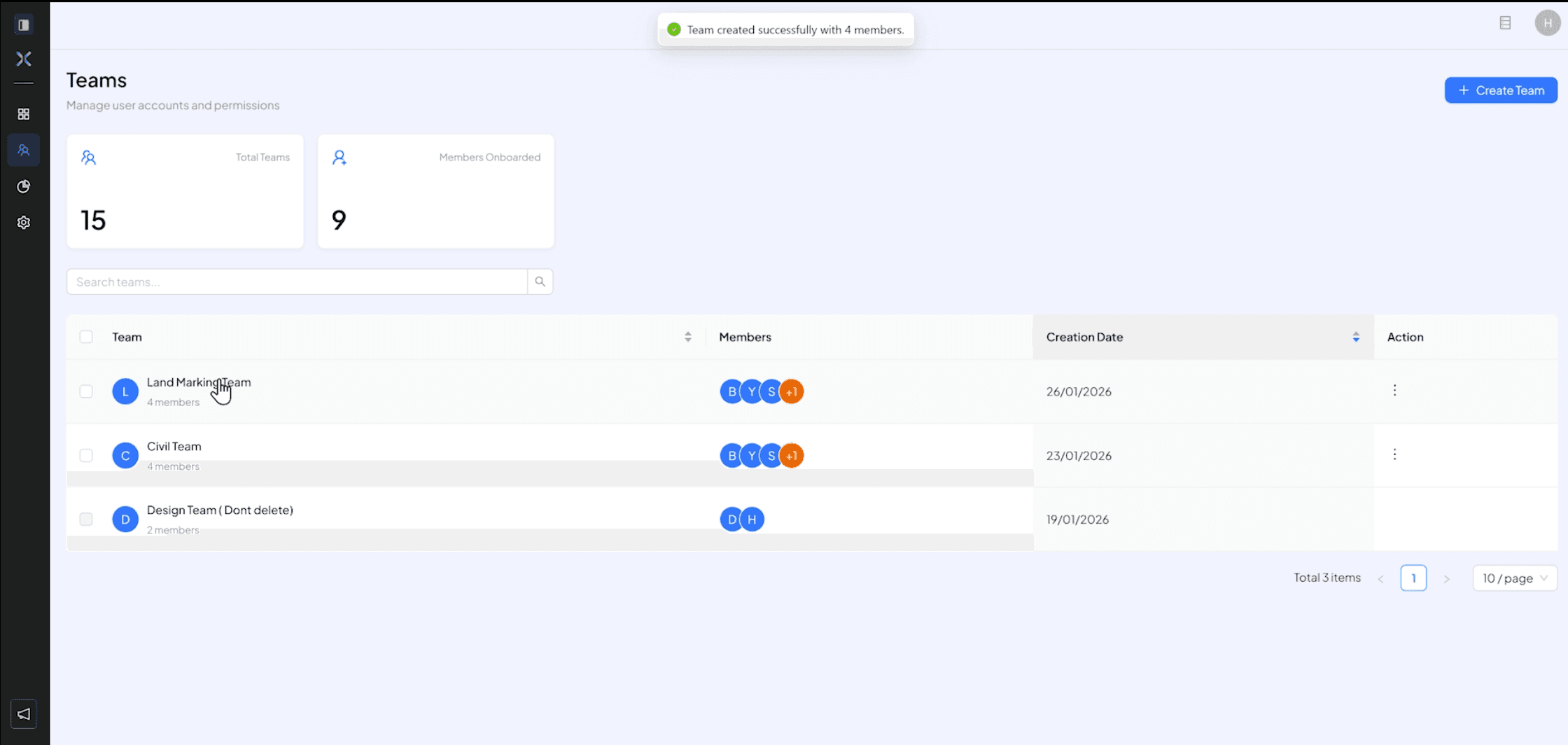
  • On you main dashboard, Click on the “Team” icon on the main navigation bar.
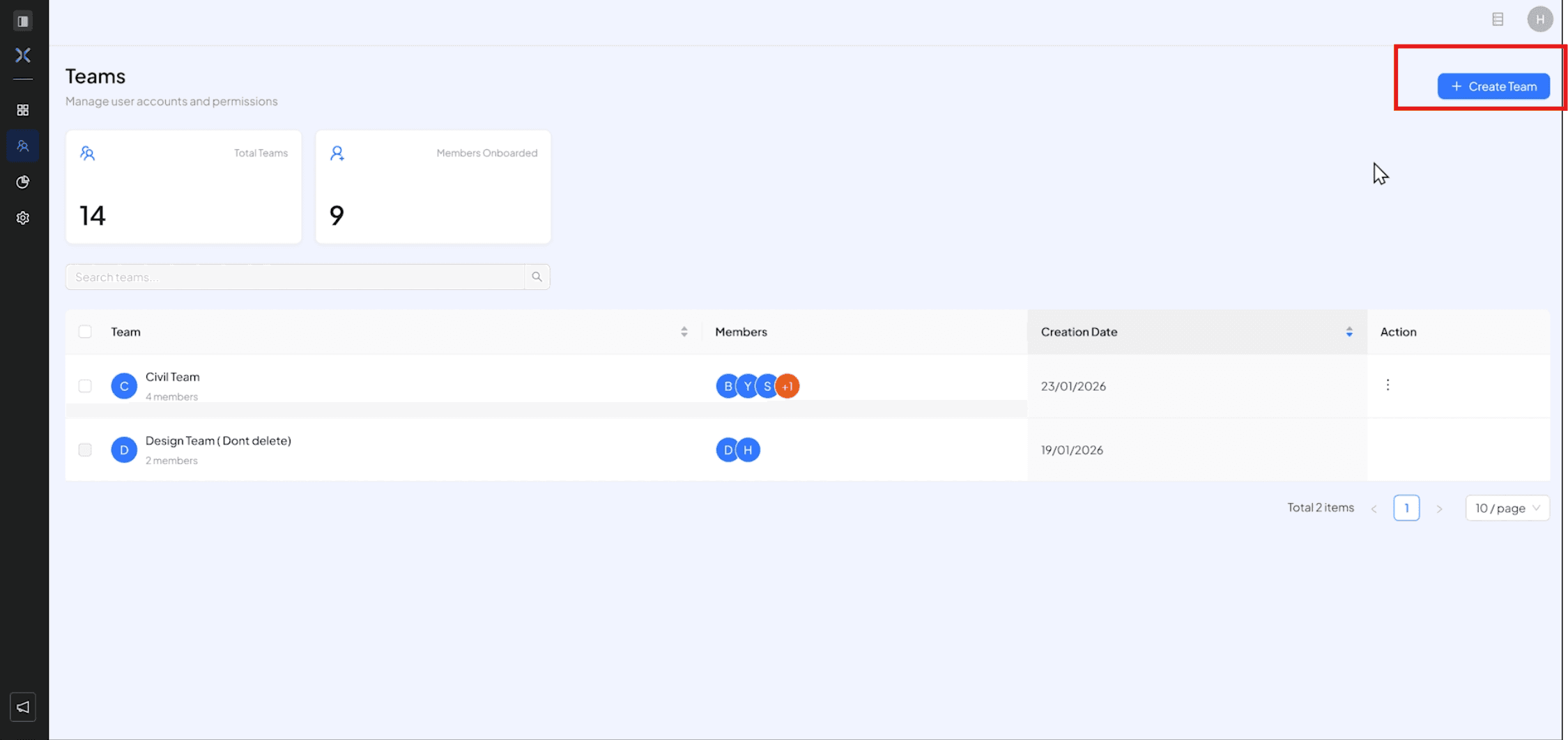
  • Click on the "Create Team” to make new you want to collaborate


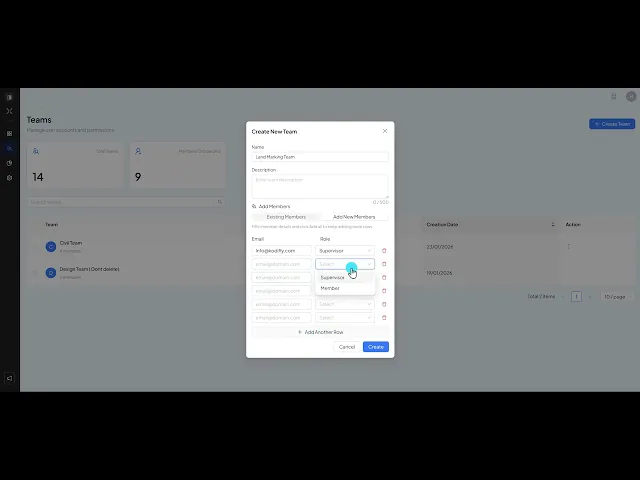
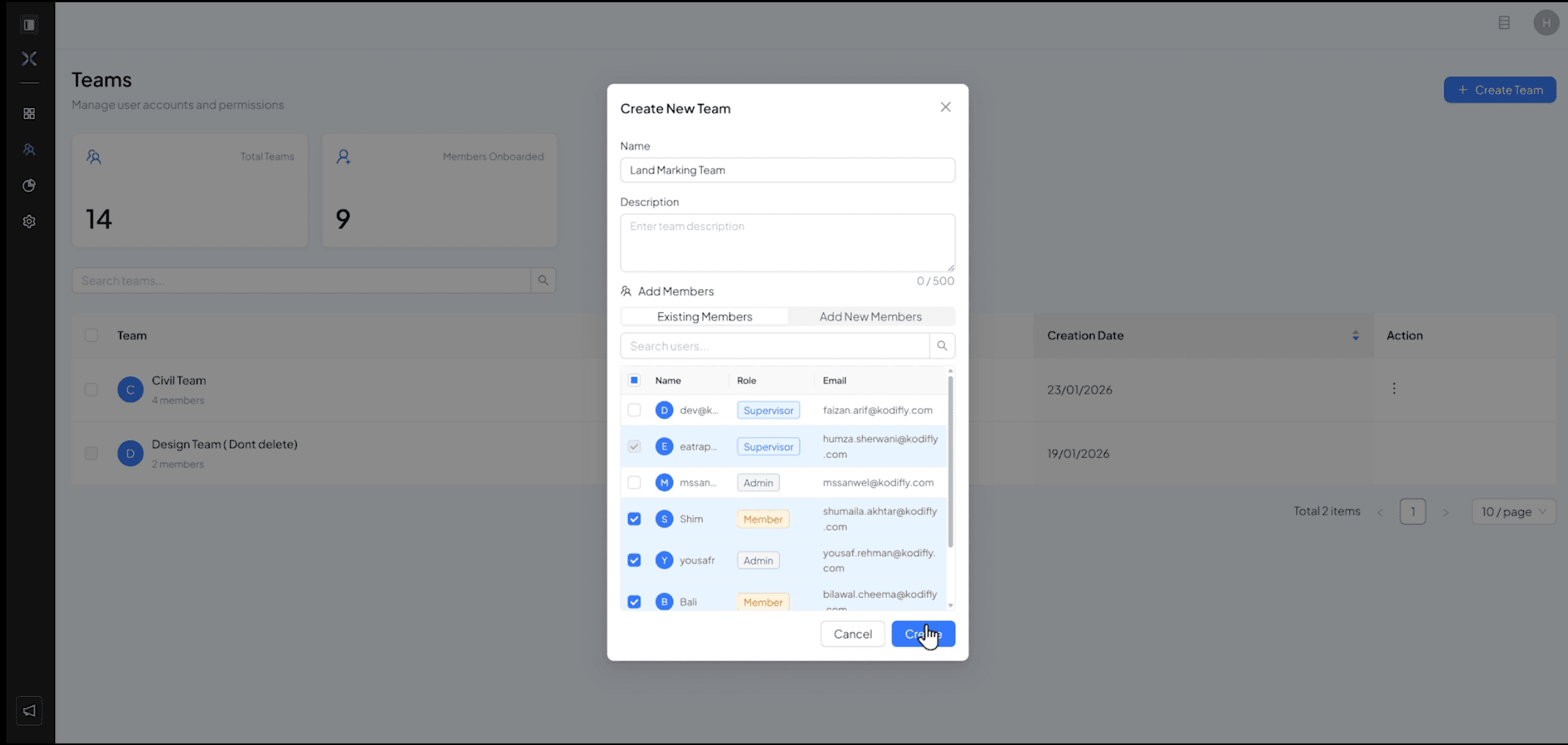
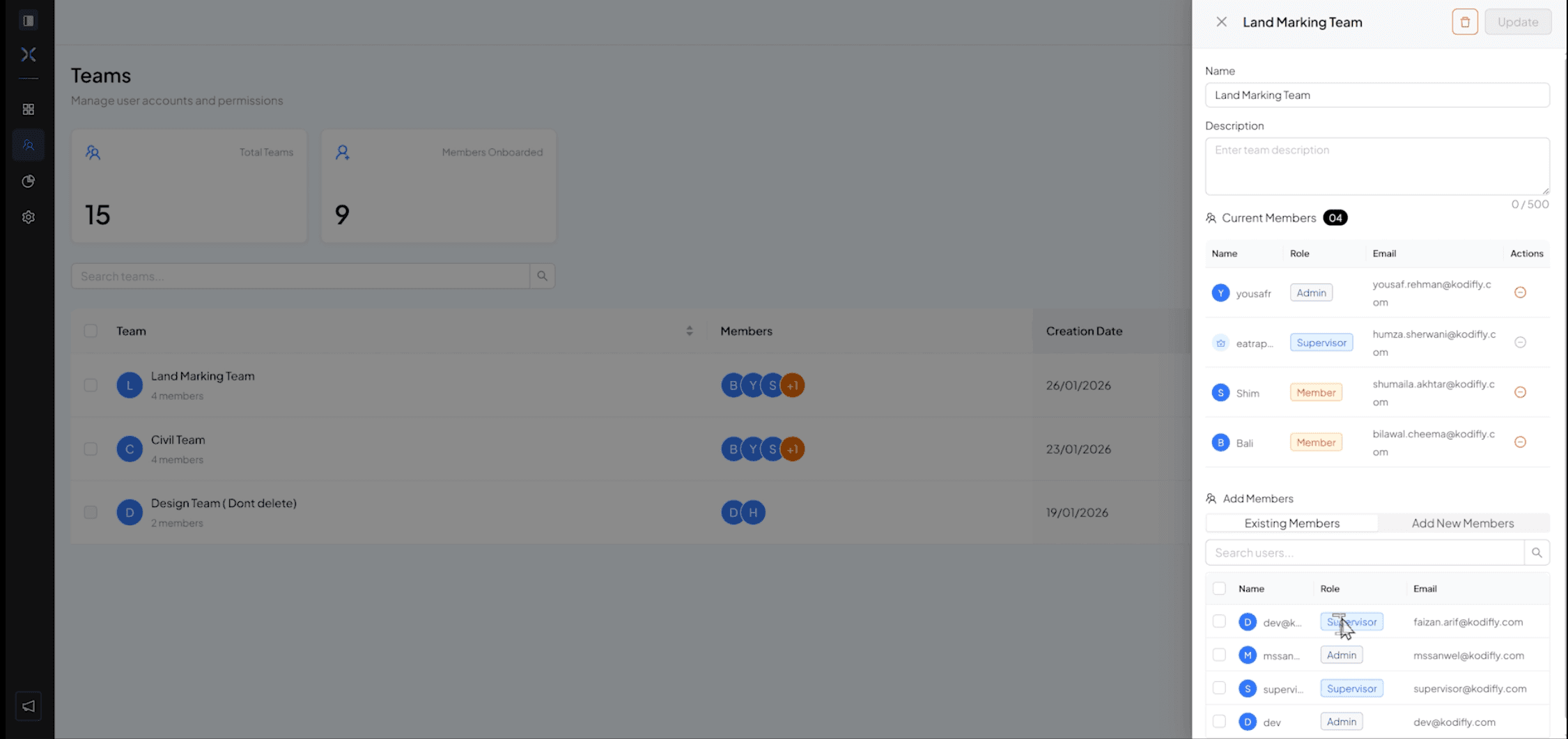
  • Fill in the Details, you can either Add existing member in the team OR invite new members with an email invite and give them permission according to your need

  • To edit the team, click on the team you want to edit and you have add/delete members and manage their access permissions.
  • Detailed Video of Steps above

Construction is a team sport, and your digital twin is most powerful when it’s shared. Inviting your team transforms a static model into a live collaboration hub where architects, engineers, and field subs can align in real-time.

By centralizing communication within the 3D environment, you eliminate the "email trail of doom." Instead of describing a problem with a photo, you can tag a teammate directly on the specific BIM element or point cloud anomaly, ensuring everyone is looking at the same source of truth.

  • On you main dashboard, Click on the “Team” icon on the main navigation bar.

  • Click on the "Create Team” to make new you want to collaborate


  • Fill in the Details, you can either Add existing member in the team OR invite new members with an email invite and give them permission according to your need


  • To edit the team, click on the team you want to edit and you have add/delete members and manage their access permissions.


  • Detailed Video of Steps above

Construction is a team sport, and your digital twin is most powerful when it’s shared. Inviting your team transforms a static model into a live collaboration hub where architects, engineers, and field subs can align in real-time.

By centralizing communication within the 3D environment, you eliminate the "email trail of doom." Instead of describing a problem with a photo, you can tag a teammate directly on the specific BIM element or point cloud anomaly, ensuring everyone is looking at the same source of truth.

  • On you main dashboard, Click on the “Team” icon on the main navigation bar.

  • Click on the "Create Team” to make new you want to collaborate


  • Fill in the Details, you can either Add existing member in the team OR invite new members with an email invite and give them permission according to your need


  • To edit the team, click on the team you want to edit and you have add/delete members and manage their access permissions.


  • Detailed Video of Steps above