What Should You Capture Before the Walls Close?
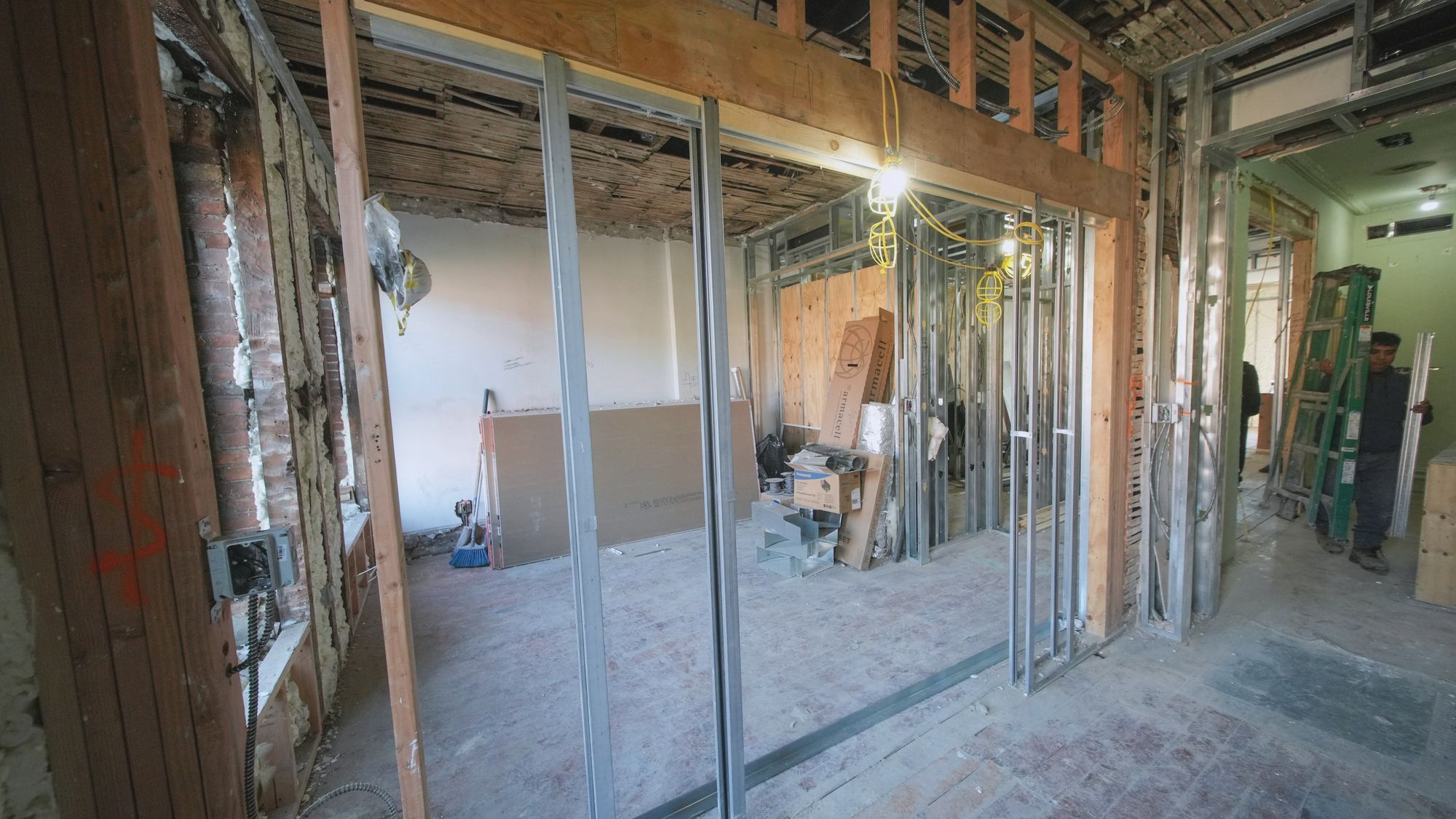

The day before the boards go up is the last time anyone will see inside that wall without cutting it open. In our experience, the questions arrive months later, when someone needs to drill, a leak appears or a claim lands, and by then the only evidence is whatever was captured that day.
What should be on the checklist?
- Electrical conduits, back boxes and cable runs in walls and ceilings
- Plumbing and drainage pipes, valves and joints, including those under the slab
- Ductwork and everything hung in the ceiling void
- Fire stopping around each penetration through a wall or slab
- Fixings, blocking and embeds that later fittings will rely on
- Rebar and cast-in items before a pour, and waterproofing before backfill
How do you capture it so you can find it later?
A folder of phone photos records what was there but rarely where it was. A 360° walk mapped to the floor plan records both, because each image sits at its position on the plan and takes in the whole room at once, ceiling included. Our Trace app keeps recording in basements with no signal and uploads once you are back online, which matters most below ground, where underslab services disappear first. When something needs a note, annotate it on the image or save a snapshot, and if it needs fixing before the boards go up, raise an issue on the spot with an owner and a due date.
When should you capture?
Walk each area just before it closes, on top of your regular weekly walk. For work that is covered within hours, such as a pour or a backfill, a fixed ScanStation takes a full point cloud every 15–30 minutes, so the record exists even if nobody was free to walk it. Later on, Compare puts the open wall and the finished wall side by side from the same viewpoint.
To see a close-in walk on a live project, book a 30-minute demo.
Who gets to see it?
Anyone who needs it, including people without an account. A crew link opens the walk in a browser with no sign-in, so a subcontractor or consultant can check behind a wall from their phone.
FAQ
Is a phone camera good enough?
For a single defect, yes. Across a whole floor, phone photos rarely record where each one was taken, so finding the right one months later is slow, and a 360° walk mapped to the plan fixes that.
Do I need a scanner for this?
Not for most interiors. A 360° walk shows what is there. You need a point cloud when you have to measure something, such as checking the build against the BIM model.
Capture your next close-in properly
Book a 30-minute demo and we’ll show you close-in walks from live projects, and how your team would capture its own.