Can AI Help Me Understand My Construction Site Photos?
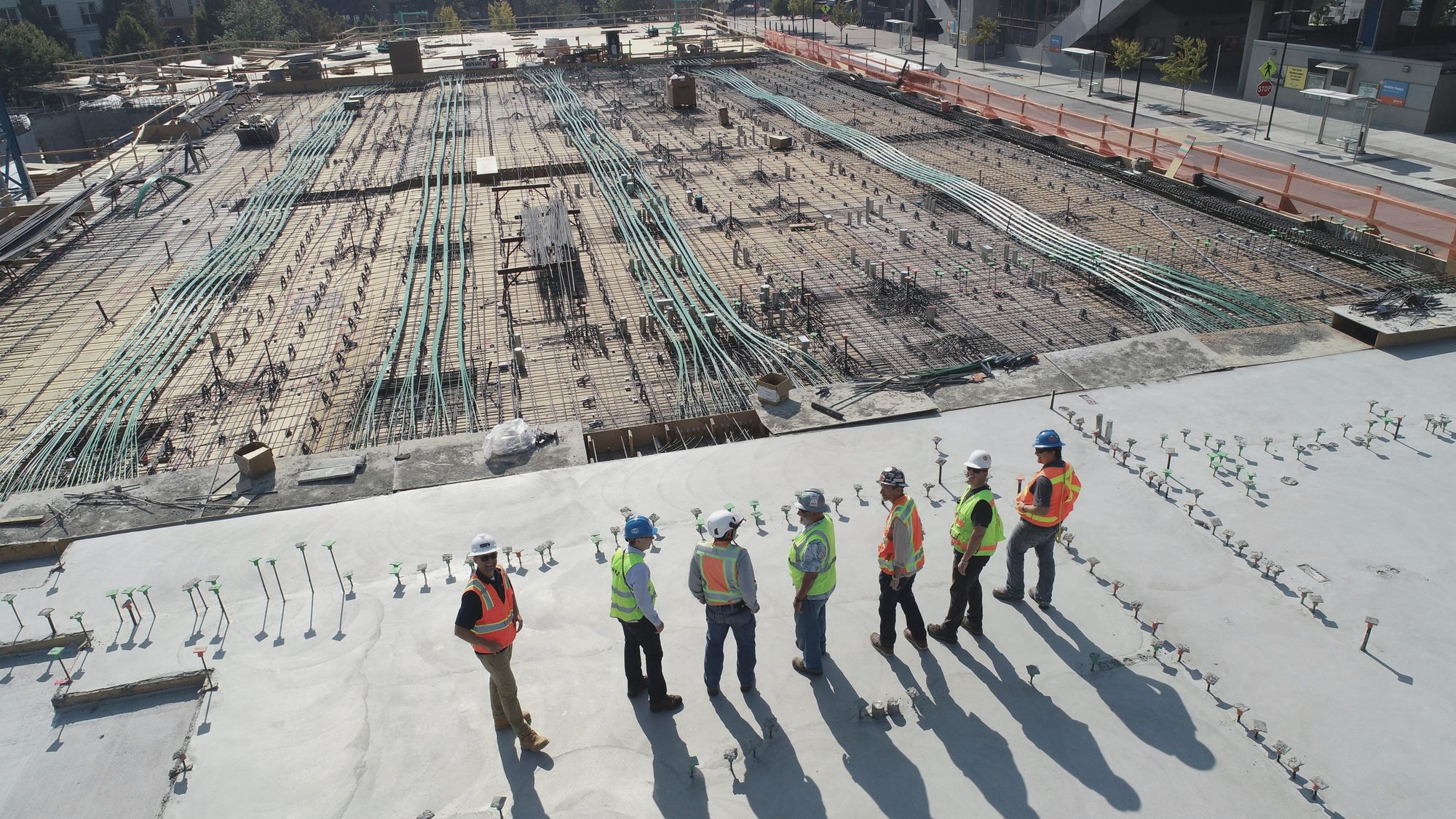

7 people found, every one in a hard hat and a hi-vis vest.
Sample frame · pinned to the floor plan
On one of our sites, the AI went through a routine 360° walk and flagged a worker welding without eye protection. The hazard was dealt with before he could lose an eye. A folder of photos on someone’s phone can’t do that, because a person still has to open each one, and on a busy day nobody gets round to it.
What the AI picks up
Once a walk is mapped to your floor plan, the AI reads every 360° image in it. It flags workers without helmets or high-visibility vests, unprotected edges, exposed wires and loose cables, and anyone walking into a zone marked as dangerous. It finds welding work too, which tells you how far the welding has progressed as well as whether it is being done safely, and on slope work it picks out the soil nails. Each finding sits at its exact position on the plan, so you know where to send someone before you’ve finished reading.
Why you can trust what it flags
The AI proposes, and your team decides. Each detection is confirmed or dismissed by a person, so nothing becomes an issue without someone who knows the site approving it, and false alarms never reach the list. A confirmed finding gets a title, a priority and a due date, and the team it’s assigned to receives a WhatsApp alert with a direct link straight to it.
It notices what changed, too
The same AI compares two dated walks from the same viewpoint and writes the change list itself, naming what moved, rating how much it matters and linking every line to the image that proves it. Once a walk has been processed, the analysis takes two to ten minutes, so findings from a morning walk are ready the same day.
Where photos stop
360° images are brilliant for anything you can see, but they can’t measure. Checking what was built against the BIM model, measuring excavated volume or checking slopes needs a LiDAR point cloud, and SpatialSense keeps the point cloud right next to the 360° walks of the same area.
See what the AI would flag on your site
In a 30-minute demo we run the AI on live project data, then walk through what it would check on your project.